Master Guide to GSTR-2B: The Ultimate Auto-Drafted Input Tax Credit (ITC) Statement
Navigating the Indian Goods and Services Tax (GST) framework requires precision, particularly when claiming Input Tax Credit (ITC). Among the various statements generated on the GST Portal, GSTR-2B serves as the definitive reference document for every registered taxpayer aiming to claim ITC accurately while remaining fully compliant with tax laws.
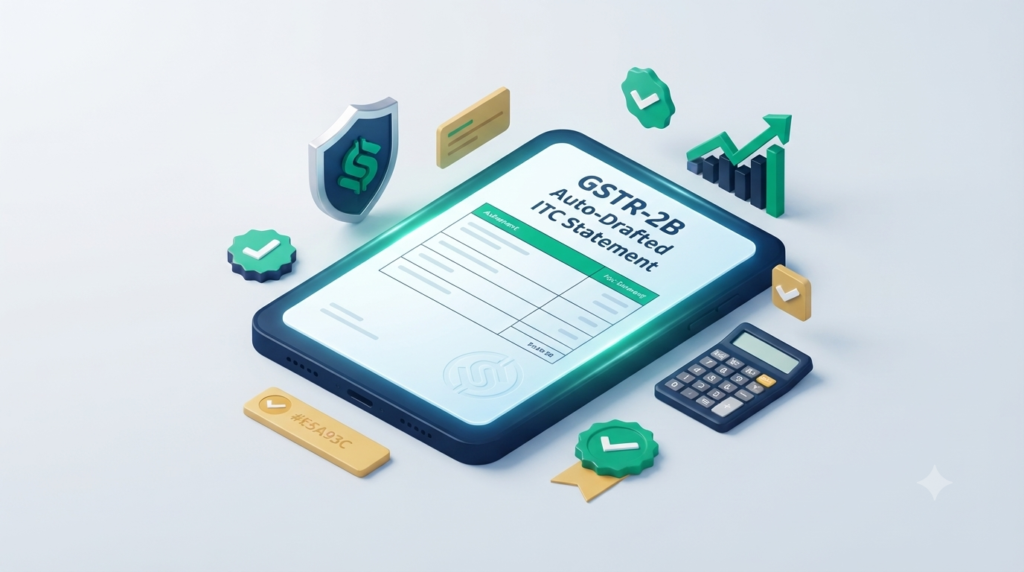
Introduced to streamline credit claims and curb fraudulent filings, GSTR-2B acts as an auto-drafted, static ITC statement that determines your exact credit eligibility for a tax period. Understanding its nuances, statutory backing, generation rules, and reconciliation processes is essential for tax professionals, business owners, and finance heads alike.
1. What is GSTR-2B?
GSTR-2B is an auto-generated, read-only Input Tax Credit (ITC) statement provided to every registered taxpayer under the GST regime. It is compiled automatically by the GST Portal based on the information submitted by your suppliers in their respective outward supply returns:
GSTR-1: Monthly/Quarterly Outward Supply Return
GSTR-5: Return filed by Non-Resident Taxable Persons
GSTR-6: Return filed by Input Service Distributors (ISD)
Form ICEGATE: Import of goods data integrated directly from Indian Customs
Unlike dynamic returns that update continuously, GSTR-2B is a static statement. Once generated for a specific tax period, the figures in GSTR-2B remain fixed, offering a single source of truth for filing your monthly GST return in GSTR-3B.
Key Characteristics of GSTR-2B
Static Nature: Figures do not change even if a supplier files late after the cut-off date.
ITC Categorization: Clearly divides credit into Eligible ITC and Ineligible ITC.
Actionable Guidance: Indicates where credit must be claimed, reversed, or marked as temporarily unavailable.
Customs Integration: Includes ITC on import of goods from overseas as well as supplies received from Special Economic Zone (SEZ) units/developers.
2. Legal Backing and Section 16(2)(aa) of CGST Act
To appreciate the critical importance of GSTR-2B, one must look at the legal framework governing ITC under the Central Goods and Services Tax (CGST) Act, 2017.
The Amendment: Section 16(2)(aa)
Effective January 1, 2022, the Government inserted clause (aa) into Section 16(2) of the CGST Act via the Finance Act, 2021. The clause states:
“The details of the invoice or debit note referred to in clause (a) has been furnished by the supplier in the statement of outward supplies and such details have been communicated to the recipient of such invoice or debit note in the manner specified under section 37.”
What Section 16(2)(aa) Means in Practice
100% Matching Requirement: You cannot claim ITC on any invoice unless your supplier has uploaded it in their GSTR-1/IFF and it reflects in your auto-drafted statement (GSTR-2B).
End of Provisional ITC: Earlier rules permitted a 20%, 10%, or 5% provisional/unmatched ITC buffer over matched invoices. With Section 16(2)(aa) enforced, provisional ITC is completely eliminated (0%).
Legal Compliance Mandate: Claiming ITC not reflected in GSTR-2B directly leads to automated GST notices under Section 75(12), recovery proceedings, and potential interest penalties under Section 50.
3. GSTR-2B Generation Date and Cut-Off Rules
Timing is crucial when dealing with GSTR-2B. Because it is a static document, the GST Portal uses a strict cut-off period to capture supplier data.
Standard Generation Schedule
GSTR-2B is generated on the 14th day of every month at midnight for the preceding tax period.
| Taxpayer Filing Frequency | Outward Return Type | Supplier Submission Deadline | GSTR-2B Generation Date |
|---|---|---|---|
| Monthly Filers | GSTR-1 | 11th of every month | 14th of every month |
| QRMP Scheme Filers | Invoice Furnishing Facility (IFF) | 13th of every month | 14th of every month |
| Input Service Distributor | GSTR-6 | 13th of every month | 14th of every month |
Cut-Off Mechanics
Example: For the month of October, suppliers must submit their GSTR-1 by November 11th (or IFF by November 13th).
On the night of November 13th/14th, the GST Portal processes all filed data and compiles your GSTR-2B.
Late Submissions: If a supplier files their October GSTR-1 on November 15th (after the cut-off), that invoice will not appear in your October GSTR-2B. Instead, it will be reflected in your November GSTR-2B generated on December 14th.
4. Key Differences: GSTR-2A vs GSTR-2B
Many taxpayers confuse GSTR-2A with GSTR-2B. While both present inward supply details, their structure and operational utility differ significantly.
| Parameter | GSTR-2A | GSTR-2B |
|---|---|---|
| Type of Document | Dynamic Statement | Static Statement |
| Update Frequency | Real-time; updates continuously whenever a supplier files GSTR-1 late. | Fixed; generated once a month on the 14th and never changes afterward. |
| Cut-off Date | No fixed cut-off date. | Fixed cut-off date (11th/13th of the month). |
| ITC Categorization | Shows raw supply data without distinct tax eligibility flags. | Explicitly segregates credit into Eligible and Ineligible ITC. |
| Import Data (ICEGATE) | Limited or delayed update mechanisms. | Fully integrated; fetches import of goods data directly from ICEGATE. |
| Primary Use Case | Historical analysis and annual reconciliation (GSTR-9). | Monthly GSTR-3B filing and actual ITC claiming. |
5. Detailed Breakdown of GSTR-2B Components
GSTR-2B is divided into two primary sections: SUMMARY and ALL TABLES. Understanding these components helps ensure accurate entry into GSTR-3B.
PART A: ITC Available (Credit to be Claimed)
This section lists all inward supplies where ITC can be legally claimed:
Supplies from Registered Persons (Other than Reverse Charge): Standard B2B purchases, inward debit notes, and amendments.
Inward Supplies Subject to Reverse Charge (RCM): Tax liability payable by you on RCM purchases (e.g., GTA services, legal fees) where credit becomes available upon payment.
Import of Goods: Details on goods imported from overseas or received from SEZ units/developers via ICEGATE.
ITC Received from Input Service Distributor (ISD): Credit distributed by your corporate head office via GSTR-6.
PART B: ITC Not Available (Ineligible or Restricted Credit)
This section highlights inward supplies where credit is restricted or completely blocked under GST law:
Time Barred Invoices (Section 16(4)): Invoices where the statutory deadline to claim ITC has passed (30th November following the end of the relevant financial year).
POS Restrictions (Place of Supply): Invoices where the supplier’s location and Place of Supply are in the same state, but the recipient is registered in a different state (e.g., hotel stay in Mumbai booked by a Delhi-registered business).
Blocked Credit under Section 17(5): Ineligible goods/services marked by suppliers (such as motor vehicles, food and beverages, membership fees, or personal consumption items).
Supplier Status Issues: Invoices filed by suppliers who have defaulted on their tax obligations or whose registration has been cancelled retrospectively.
6. How to Download and Access GSTR-2B from the GST Portal
Taxpayers can view, download, and analyze GSTR-2B directly from the official GST Portal.
Step-by-step Download Guide
[GST Portal Login] ➔ [Services] ➔ [Returns] ➔ [Returns Dashboard]
                             │
                             ▼
              [Select Financial Year & Return Period]
                             │
                             ▼
             [GSTR-2B Tile] ➔ Choose [View] or [Download]
Log in: Visit www.gst.gov.in and enter your login credentials.
Navigate: Go to Services > Returns > Returns Dashboard.
Select Period: Choose the appropriate Financial Year and Return Filing Period (Month/Quarter).
Locate GSTR-2B: Click on the Auto-drafted ITC statement GSTR-2B tile.
Choose Download Format:
View Online: Best for quick summary checks.
Download JSON: Ideal for importing directly into accounting software (e.g., Tally, Zoho Books, SAP).
Download Excel: Best for manual invoice-level reconciliation.
7. Step-by-Step GSTR-2B Reconciliation Process
Reconciliation is the process of matching your internal Purchase Register (accounting books) against the auto-generated GSTR-2B statement. Performing this exercise monthly prevents excess ITC claims and catches missed credits.
Reconciliation Workflow
Step 1: Data Extraction
Export your Purchase Register for the month in Excel. Simultaneously, download the Excel file of GSTR-2B from the GST Portal.
Step 2: Key Parameter Matching
Compare the two datasets across the following primary parameters:
Supplier GSTIN
Invoice / Debit Note Number
Invoice Date
Taxable Value
Integrated Tax (IGST), Central Tax (CGST), and State Tax (SGST) amounts
Step 3: Categorize Results
Exact Matches: Invoices present in both books and GSTR-2B with identical values. Action: Claim full ITC in GSTR-3B Table 4(A)(5).
Missing in GSTR-2B (In Books, Not in 2B): Invoices recorded in your books where the supplier failed to file GSTR-1/IFF by the 11th/13th cut-off. Action: Do NOT claim in current month’s GSTR-3B. Hold the claim and follow up with the supplier.
Missing in Books (In 2B, Not in Books): Invoices appearing in GSTR-2B that are absent from your purchase ledger. Action: Verify whether the invoice belongs to your business. If valid, record it in your books and claim credit; if fraudulent/erroneous, do not claim.
Value Mismatches: Differences in invoice numbers, dates, or tax figures due to typographical errors. Action: Communicate with the supplier to issue a credit/debit note or amend the entry in their next GSTR-1.
8. Common Discrepancies and Handling Strategies
Discrepancy Scenario Matrix
| Scenario | Root Cause | Impact on ITC | Actionable Solution |
|---|---|---|---|
| Supplier filed GSTR-1 after the 11th of the month. | Cut-off deadline missed by vendor. | Excluded from current month’s GSTR-2B. | Defer ITC claim to the next month’s GSTR-3B when it appears in that period’s GSTR-2B. |
| Wrong B2B filing (B2C instead of B2B). | Supplier uploaded invoice without entering recipient GSTIN. | Invoice missing in GSTR-2B. | Ask supplier to amend B2C entry to B2B in their next GSTR-1 return filing. |
| Place of Supply (POS) Rule Violation. | Supplier charged CGST/SGST of another state instead of IGST. | Marked as Ineligible ITC in GSTR-2B. | Do not claim. Request vendor to issue a credit note and issue a fresh invoice with correct POS. |
| Supplier reported higher/lower tax value. | Data entry error by supplier clerk. | Mismatched tax amounts between books and 2B. | Claim only the lower of books or GSTR-2B amount; ask supplier to rectify via amendment. |
| Import of goods not showing in GSTR-2B. | ICEGATE – GSTN system integration delay. | Import ITC missing in Part A. | Check Bill of Entry details on ICEGATE portal. If verified, wait for dynamic integration or raise a ticket on GST Helpdesk. |
9. Consequences of Misclaiming Input Tax Credit
Claiming ITC in excess of what is reflected in GSTR-2B violates Section 16(2)(aa) of the CGST Act. The GST framework enforces automated tracking systems to detect and penalize non-compliance.
Statutory Consequences
Automated Notices (DRC-01B): Under Rule 88C, if the ITC claimed in GSTR-3B exceeds the ITC available in GSTR-2B by a pre-defined threshold, the GST portal automatically issues Form DRC-01B.
Mandatory Response Time: Taxpayers must either pay the excess ITC amount along with interest or explain the reasons for the discrepancy within 7 days.
Blocking of GSTR-1 Filing: Failure to respond or pay via DRC-01B blocks the taxpayer from filing outward supply returns (GSTR-1/IFF) for subsequent tax periods.
Interest Charges under Section 50(3): Interest at 18% per annum applies on wrongfully availed and utilized ITC from the date of utilization until the date of reversal.
Penalties under Section 122: Penalties up to 100% of the tax amount involved can be levied in cases involving fraud, willful misstatement, or suppression of facts.
10. Best Practices for Smooth GSTR-2B Compliance
To maintain accurate records and protect cash flow, consider implementing these operational best practices:
Automate Monthly Reconciliations: Use modern ERPs or dedicated GST reconciliation tools to perform automated, invoice-level matching between accounting software and GSTR-2B download files.
Enforce Vendor Payment Terms: Link vendor payment releases to successful GSTR-2B reflection. Introduce purchase order clauses stipulating that tax amounts will be released only after invoices appear in your GSTR-2B.
Maintain Vendor Compliance Ratings: Track vendor filing discipline. Categorize suppliers based on timely GSTR-1 filing track records and avoid high-risk vendors.
Reconcile RCM Invoices Promptly: Ensure Reverse Charge Mechanism (RCM) liabilities declared in GSTR-3B Table 3.1(d) match the eligible RCM credit claimed in Table 4(A)(3).
Strictly Reconcile Blocked Credit (Section 17(5)): Ensure blocked credits (e.g., motor vehicles, corporate catering) are properly reversed in GSTR-3B Table 4(B)(2) to prevent interest liabilities during GST audits.
Conduct Year-End Cross-Checks: Compare total monthly GSTR-2B claims against annual financial accounts and Form GSTR-9 to verify complete alignment before annual return filing deadlines.
Summary Checklist for Monthly GSTR-2B Compliance
[ ] Download GSTR-2B Excel/JSON after the 14th of every month.
[ ] Run an automated reconciliation against your monthly Purchase Ledger.
[ ] Identify and segregate Eligible ITC from Ineligible/Blocked ITC.
[ ] Defer credit on missing invoices and inform defaulting suppliers immediately.
[ ] Ensure GSTR-3B Table 4 values accurately reflect auto-drafted figures.
[ ] File responses to any system-generated DRC-01B notices within the 7-day window.
- Phone: +91 77389 59862
- Email: client@clevercoins.org
- Address: Ideal Market, Mumbra, Thane-400612