E-Way Bill Part A vs. Part B: The Definitive Guide to Transporter IDs, Vehicle Updates, and Multi-Vehicle Movements
Executive Summary & Overview
Under the Goods and Services Tax (GST) framework in India, seamless freight movement across state and national borders is governed by Form GST EWB-01, commonly known as the E-Way Bill. Section 68 of the Central Goods and Services Tax (CGST) Act, read alongside Rule 138 of the CGST Rules, 2017, mandates that every registered person who causes the movement of goods with a consignment value exceeding ₹50,000 (whether for supply, reasons other than supply, or inward supply from an unregistered person) must generate an electronic waybill on the official portal prior to dispatch.
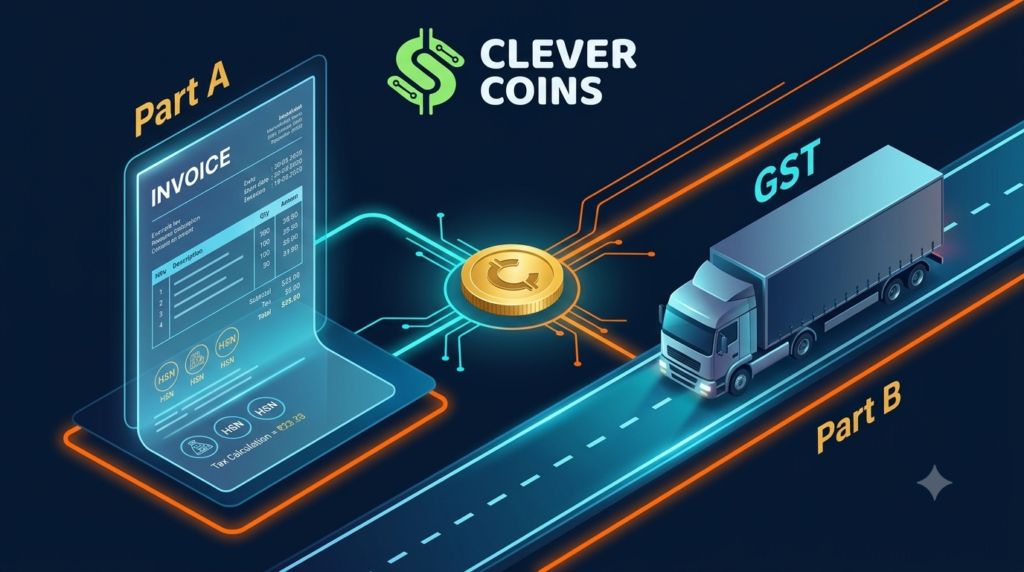
While the E-Way Bill appears to be a singular electronic document, it is functionally divided into two distinct components: Part A (documentary and invoice level transaction data) and Part B (conveyance and physical transport execution details). A significant percentage of GST compliance notices, transit detentions under Section 129, and goods confiscations under Section 130 arise not from tax evasion, but from operational mismatches between Part A and Part B.
Whether dealing with transshipment hubs, multi-modal transport switches, breaking down bulk shipments across multiple trucks, or transferring transport responsibilities to logistics providers via Transporter IDs, a deep operational understanding of Form GST EWB-01 is vital for finance heads, supply chain managers, and tax consultants.
Part A vs. Part B: Structural Architecture Breakdown
The architecture of Form GST EWB-01 separates commercial billing records from live transport operations.
| Field Parameter | Part A (Transaction Layer) | Part B (Transport Layer) |
|---|---|---|
| Primary Owner | Supplier, Recipient, or Assigned Transporter | Transporter or Self-Transport Vehicle Operator |
| Core Information | GSTINs, Place of Delivery, Invoice Details, HSN, Taxable Value | Mode of Transport, Vehicle Number, LR/BL/RR/AWB Document Number |
| Editability | Immutable once generated; requires cancellation within 24 hours if incorrect | Dynamic; can be updated multiple times within validity |
| Legal Status | Generates a temporary Part-A Slip; does NOT legalise transport | Completes EWB generation; makes transport legally valid |
| Validity Clock | Does not start until Part B is completed (except specific distance limits) | Triggers the legal validity period based on total travel distance |
The Part-A Slip Mechanism
When a seller enters invoice details into the E-Way Bill portal without populating vehicle or transport document details, the portal issues a temporary Part-A Slip.
Important Legal Distinction: A Part-A Slip is merely an electronic record of intended movement. It does not constitute a valid E-Way Bill under Rule 138. Intercepting officers during road transit will treat any consignment moving solely with a Part-A Slip as a shipment moving without an E-Way Bill, subjecting the consignment to penalties under Section 129 of the CGST Act.
The Role of Transporter ID (TRANS ID)
The Transporter ID (a 15-digit unique identification number issued to logistics players or their GSTIN) acts as the bridge connecting the supplier’s commercial invoice to the transporter’s physical fleet.
Unregistered Transporters & Enrollment
Many logistics operators in India operate small fleet businesses below the GST threshold limit and are not GST-registered. Rule 138A addresses this by enabling unregistered transporters to enroll on the Common E-Way Bill Portal to generate a TRANS ID (Form GST ENR-01).
Format of TRANS ID: [State Code (2 Digits)] + [PAN / Unique No. (10 Digits)] + [Check Digit (3 Digits)]
Delegation of Authority via Transporter ID
When a supplier populates the Transporter ID field in Part A:
-
The supplier delegates the right to complete and update Part B to that specific transporter.
CBIC GST portal -
The supplier does not need to know the vehicle registration number at the time of billing.
GOFRUGAL Community -
The E-Way Bill automatically reflects on the portal dashboard of the assigned transporter.
TaxTMI -
The assigned transporter can re-assign the E-Way Bill to a secondary or sub-transporter if transshipment or sub-contracting is required.
CBIC GST portal
Step-by-Step Workflow: Updating Transporter IDs
Scenario 1: Initial Allocation by Supplier
When a seller issues a tax invoice but outsources shipping to a third-party logistics company:
Step 1: Supplier logs into ewaybillgst.gov.in
Step 2: Navigates to 'E-Waybill' -> 'Generate New'
Step 3: Populates Invoice, Recipient GSTIN, HSN, Tax Value (Part A)
Step 4: Leaves Vehicle Number BLANK and enters Transporter ID (GSTIN/TRANS ID)
Step 5: Clicks 'Submit' -> System issues Part-A Slip
Step 6: Transporter logs in -> Finds EWB under 'Update Part B' -> Adds Vehicle No.
Scenario 2: Re-Assigning Transporters in Transit (Sub-Contracting)
If Primary Transporter A cannot complete the journey and sub-contracts the load to Secondary Transporter B:
Step 1: Transporter A logs into the E-Way Bill Portal
Step 2: Selects 'Update Transporter' under the E-Way Bill Menu
Step 3: Inputs the 12-digit E-Way Bill Number
Step 4: Enters Transporter ID of Transporter B in the 'Transporter ID' field
Step 5: Submits -> Control passes to Transporter B (Transporter A loses edit access)
Step 6: Transporter B logs in, updates Part B with new vehicle details, and resumes journey
Multi-Vehicle Movement & Transshipment Workflows
In long-haul supply chains, goods rarely travel from factory to customer in a single vehicle. They move from regional collection trucks to heavy long-haul trailers, or across rail and road networks. Rule 138(11) of the CGST Rules mandates strict procedures for updating movement logs during such shifts.
Case 1: Sequential Transshipment (Vehicle Swap)
When the entire consignment moves from Truck 1 to Truck 2 without splitting the load:
-
Requirement: Update Part B prior to starting the onward journey in Truck 2.
GOFRUGAL Community -
Portal Action: Select “Update Vehicle Details” under the E-Way Bill menu.
CBIC GST portal -
Reason Codes: Choose from provided options: Due to Transshipment, Vehicle Breakdown, or Multi-Modal Transfer.
Case 2: Parallel Multi-Vehicle Movement (Split Consignments)
When a large consignment (e.g., heavy machinery or bulk raw material in CKD/SKD condition) is split across multiple trucks simultaneously under a single tax invoice:
-
Parent E-Way Bill Generation: The supplier generates a primary E-Way Bill entering total tax invoice values and selects the multi-vehicle flag.
-
Delivery Challans Creation: Create individual Delivery Challans for each vehicle carrying a partial quantity of the total invoice.
-
Child E-Way Bill / Split Movement Updates: On the portal, access the “Change to Multi-Vehicle” option. Enter the primary E-Way Bill Number, specify the consignment split quantity for each vehicle, enter individual Delivery Challan details, and generate child movement slips with vehicle numbers for each lorry.
-
Transit Compliance: Each vehicle driver carries a copy of the primary Tax Invoice, the respective Delivery Challan, and the updated E-Way Bill reflecting that specific vehicle number.
E-Way Bill 2.0, Portal Validations, & Distance Auto-Calculation
To plug tax evasion and stop fraudulent misuse of E-Way Bills, the Central Board of Indirect Taxes and Customs (CBIC) introduced E-Way Bill 2.0 alongside strict portal automated controls.
Automated Distance & Validity Rules
The E-Way Bill portal calculates distances between dispatch and destination PIN codes automatically via integrated GIS mapping.
Operational Tolerance: The portal permits a maximum variance buffer of up to 10% over the auto-calculated distance to account for road detours, traffic diversions, or terrain variations.
Blocking & Unblocking Mechanics (Rule 138E)
Under Rule 138E of the CGST Rules:
-
If a taxpayer fails to file Form GSTR-3B or Form CMP-08 for two consecutive tax periods, the portal blocks their GSTIN from generating Part A of E-Way Bills (both as a supplier and a recipient).
-
Unblocking occurs automatically within 24 hours of filing pending returns, or manually via order from the jurisdictional GST Commissioner (Form GST EWB-05).
E-Invoicing Integration (IRN to EWB Auto-Population)
For businesses falling under mandatory E-Invoicing (taxpayers with aggregate turnover exceeding the notified threshold), manual E-Way Bill creation is replaced by an automated workflow.
Key Integration Rules:
-
Auto-Creation of Part A: When an invoice payload containing transport details (Transporter ID, Transport Mode, LR No.) is pushed to the Invoice Registration Portal (IRP), the IRP system automatically communicates with the E-Way Bill system to generate Part A and assign the E-Way Bill Number alongside the IRN.
-
Modification Controls: An E-Way Bill generated via an IRN cannot be edited directly for invoice fields. If the commercial invoice is wrong, the IRN must be cancelled within 24 hours on the IRP portal.
Common Compliance Traps, Penalties, and Case Studies
Penalties Framework (Section 129 vs Section 130)
Real-World Compliance Scenarios & Solutions
Scenario A: Vehicle Breakdown in Highway Transit
-
Issue: A truck carrying goods breaks down in transit. The transporter transfers goods into a backup truck without updating Part B due to low mobile network coverage.
-
Risk: The intercepted backup truck faces detention under Section 129 for carrying goods with an invalid vehicle record in Part B.
-
Correct Protocol: The driver/transporter must update Part B via SMS, E-Way Bill Mobile App, or online portal before moving the backup truck.
Scenario B: Validity Expiration Due to Traffic Detours
-
Issue: An E-Way Bill expires at midnight while the truck is trapped in a 10-hour traffic jam 30 km from the destination.
-
Correct Protocol: Under Rule 138(10), the transporter must extend the validity period on the portal. Extension is allowed 8 hours before or up to 8 hours after the original expiry time.
Actionable Standard Operating Procedures (SOPs)
To safeguard your organization against transit disruptions and penalties, implement these operational SOPs:
Step-by-Step Extension SOP:
-
Log in to the E-Way Bill Portal within the window (8 hours before to 8 hours after expiry).
-
Select
E-Waybill->Extend Validity. -
Input the EWB Number, enter current vehicle location, reason for extension (Traffic Delay/Breakdown/Accident), and approximate remaining distance.
-
System recalculates and grants extended validity based on updated distance requirements.
Frequently Asked Questions (FAQs)
1. Can Part A of an E-Way Bill be updated or edited after generation?
No. Part A details (Invoice Number, Values, GSTINs, HSN) are immutable once generated. If there is an error in Part A, you must cancel the E-Way Bill within 24 hours of generation (provided it hasn’t been verified in transit) and create a fresh E-Way Bill.
2. What happens if Part A is generated, but Part B is never filled?
An E-Way Bill with only Part A completed is merely a Part-A Slip. It holds no legal validity for transporting goods. Moving goods with only a Part-A Slip is treated as moving goods without an E-Way Bill, attracting penalties under Section 129.
3. Is there a limit on how many times Part B (Vehicle Details) can be updated?
No. Part B can be updated as many times as necessary during the transit journey to accommodate transshipments, vehicle breakdowns, or multi-modal mode changes, provided the updates occur within the valid timeframe of the E-Way Bill.
4. Who is responsible for extending validity when a shipment is delayed?
The person currently holding operational control over the movement of goods—typically the transporter assigned via Transporter ID—is responsible for extending validity on the portal prior to or within 8 hours after expiry.
5. How are multi-modal movements (Road to Rail/Air/Ship) recorded?
For multimodal transportation, update Part B with the specific mode of transport. When moving by Rail, Air, or Ship, enter the respective Transport Document Number (Railway Receipt – RR No., Airway Bill – AWB No., or Bill of Lading – BL No.) and date in Part B instead of a vehicle registration number.
💡 Need Expert Assistance with GST & E-Way Bill Compliance?
At CleverCoins, we turn complex GST compliance into a seamless operational advantage. From multi-state tax litigation to automated supply-chain GST integrations, our experts help your business navigate tax codes effortlessly. Contact our tax strategy team today to streamline your logistics compliance!