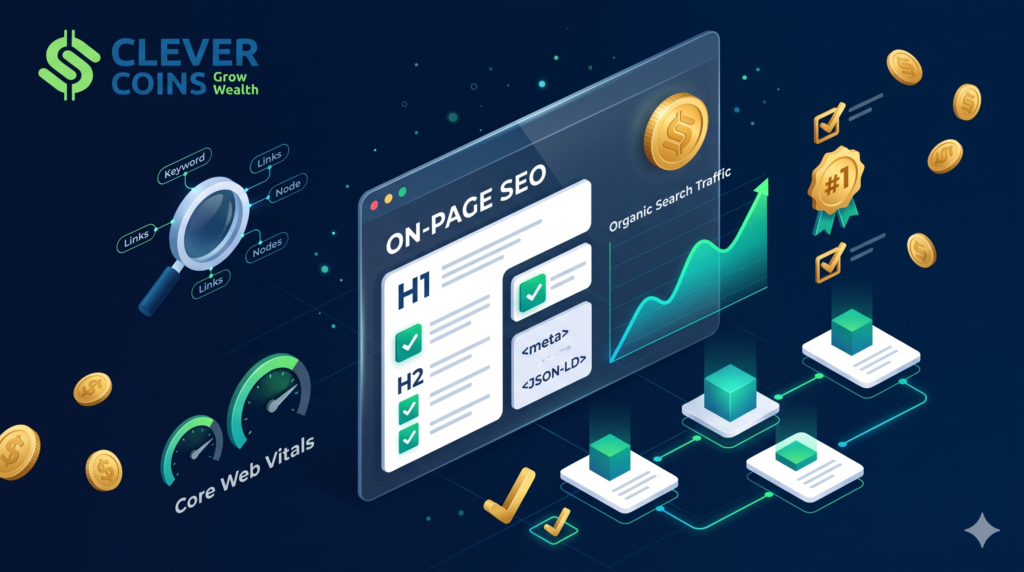
Understanding On-Page SEO Checklist: Expert Tips to Dominate Search Rankings
Search engine optimization has evolved far beyond repeating a target phrase a dozen times in a 500-word article and hoping Google’s crawlers take notice. Today, search engines rely on sophisticated semantic analysis, natural language processing, user engagement telemetry, and strict technical evaluation to decide which pages earn the top three organic positions—and which ones remain buried on page four.
When businesses struggle to gain organic traction, they often assume they need an aggressive, expensive link-building campaign or a massive advertising budget. While off-page authority certainly matters in competitive verticals, on-page SEO remains the single highest-leverage discipline within your direct control. You own every HTML tag, every heading, every internal link, every image attribute, and every sentence on your website. If your on-page foundation is fractured, building external backlinks is like pouring water into a leaky bucket.
This comprehensive guide breaks down the complete on-page SEO checklist used by enterprise search strategists and high-growth digital brands. Whether you are auditing an existing library of underperforming articles or publishing a flagship pillar page from scratch, mastering these technical, structural, and content-level factors will transform how search engines crawl, index, understand, and rank your pages.
What Is On-Page SEO and Why Does It Matter So Much?
On-page SEO (also referred to as on-site SEO) is the practice of optimizing both the visible content and the underlying HTML source code of individual web pages to rank higher and earn more relevant organic traffic in search engines. Unlike off-page SEO—which focuses on external signals like backlinks, brand mentions, and digital PR—on-page SEO governs everything that lives directly on the URL itself.
Modern search algorithms operate like hyper-efficient librarians combined with behavioral psychologists. First, crawlers parse your HTML code to understand what the page is about (relevance and entity relationships). Second, ranking systems evaluate how trustworthy and comprehensive the information is compared to competing URLs (quality and E-E-A-T). Third, user interaction systems monitor how real humans behave after clicking your result—tracking whether they find their answer immediately or bounce back to the search engine results page (SERP) in frustration.
A disciplined on-page SEO checklist bridges the gap between machine readability and human satisfaction. When executed properly, it delivers four compounding business advantages:
Higher Click-Through Rates (CTR): Compelling title tags, meta descriptions, and rich snippets win more clicks even before you reach the #1 spot.
Faster Indexing and Better Crawl Efficiency: Clean URL structures, logical heading hierarchies, and strategic internal links help search engine bots discover and categorize your content effortlessly.
Topical Authority and Long-Tail Visibility: Deep semantic coverage allows a single well-optimized page to rank for dozens or even hundreds of related long-tail search queries simultaneously.
Superior Conversion Rates: Because on-page optimization forces you to align content directly with user intent and page speed best practices, visitors stay longer, trust your brand more, and convert at higher rates.
Phase 1: Search Intent Alignment & Keyword Architecture
Before writing a single line of HTML or drafting your introduction, you must validate that the content you plan to build actually matches what searchers want to see. Misaligned search intent is the number one reason well-written content fails to rank.
1. Map Primary and Secondary Search Intent
Every search query carries an underlying goal. Search strategists categorize intent into four primary buckets:
| Intent Type | User Mindset | Typical Query Modifiers | Ideal Content Format |
| Informational | Wants to learn, solve a problem, or understand a concept | how to, what is, checklist, guide, tips, why | In-depth tutorials, step-by-step checklists, visual explainers |
| Commercial Investigation | Comparing options before making a purchase decision | best, top, vs, comparison, review, pricing | Comparison tables, buyer’s guides, pros/cons breakdowns |
| Transactional | Ready to buy, subscribe, or sign up immediately | buy, hire, software, service, quote, discount | Product pages, service landing pages, pricing calculators |
| Navigational | Looking for a specific brand or login portal | brand name, login, dashboard, contact | Homepage, product login page, brand hub |
Expert Tip: Open an incognito browser window and search your target keyword. Look closely at the top five organic results. If Google is ranking comprehensive 3,000-word checklists and interactive guides, you will not rank with a thin 400-word product sales page—and vice versa. Mirror the dominant format while outperforming every existing result in depth, clarity, and freshness.
2. Define One Primary Focus Keyword per URL
Assigning the exact same primary keyword to multiple pages on your domain creates keyword cannibalization. When two or more pages compete for identical intent, search engines struggle to determine which URL is the canonical authority, often splitting link equity and suppressing both pages in the rankings.
Select one primary focus keyword that encapsulates the core topic of the page.
Build a cluster of 5 to 12 secondary and long-tail keywords (subtopics, questions, and synonyms) that naturally belong inside the same comprehensive resource.
Maintain a central content map so every new URL targets a distinct search intent.
3. Integrate Semantic Entities and NLP Terms
Search engines no longer rely solely on exact-match keyword density. Using vector embeddings and knowledge graphs, algorithms evaluate entities—specific people, concepts, tools, standards, and attributes logically connected to your primary topic.
For example, if you are writing an authoritative guide on an on-page SEO checklist, a search engine naturally expects to find semantic entities such as title tags, meta descriptions, H1 headers, canonical tags, schema markup, Core Web Vitals, internal linking, alt attributes, E-E-A-T, crawlability, and search intent. If those related concepts are missing, the algorithm flags the page as superficial.
Phase 2: HTML Tags & SERP Snippet Optimization
Your HTML metadata acts as your storefront window on Google’s search results page. Even if your content is world-class, weak metadata suppresses rankings and starves your page of clicks.
4. Craft a High-CTR Title Tag (50–60 Characters)
The <title> tag remains one of the strongest direct on-page ranking signals. It tells search engines the primary subject of your document and serves as the clickable headline on the SERP.
Front-load your focus keyword: Place your primary keyword as close to the beginning of the title tag as naturally possible.
Respect pixel width limits: Google truncates titles around 580–600 pixels (roughly 50 to 60 characters). Keep critical words inside that window so your value proposition never gets cut off with an ellipsis (
...).Add a compelling hook: Combine your keyword with a clear benefit, current year, or authoritative modifier (e.g., Checklist, Expert Tips, Step-by-Step Guide, Proven Strategies).
Avoid title tag duplication: Every indexable page on your website must have a unique
<title>tag.
5. Write a Persuasive Meta Description (145–160 Characters)
While Google has confirmed that meta descriptions are not a direct algorithmic ranking factor, they heavily influence organic click-through rate (CTR)—and user engagement metrics play a vital role in sustaining top positions.
Keep the length between 145 and 160 characters so it renders cleanly across desktop and mobile devices.
Include your primary focus keyword naturally; Google bolds matching search terms in the snippet, drawing the user’s eye directly to your listing.
Structure the description like micro-ad copy: state the problem you solve, highlight what makes your guide actionable, and close with a subtle call to action.
6. Structure Clean, Descriptive URL Slugs
A clean URL communicates topical relevance to both humans and crawlers before the page even finishes loading.
Keep URLs short and readable: Aim for 3 to 5 words (under 50 characters) containing your core focus keyword (e.g.,
[yourdomain.com/on-page-seo-checklist](https://yourdomain.com/on-page-seo-checklist)).Use hyphens, never underscores: Search engines treat hyphens (
-) as word separators, whereas underscores (_) join words together.Eliminate dates and numbers from slugs: Avoid URLs like
/on-page-seo-checklist-2024/. Removing the year allows you to update the content annually without changing the URL or needing 301 redirects.Stick to lowercase letters: Mixed-case URLs can create duplicate URL variations on certain web servers.
Phase 3: Heading Hierarchy & Content Architecture
Well-structured content improves comprehension for human readers and provides a clear semantic outline for search engine parsers.
7. Enforce a Strict H1-to-H4 Heading Hierarchy
Think of your heading tags (<h1> through <h4>) as the table of contents for a textbook.
Use exactly one
<h1>tag per page: Your H1 should clearly state the main topic of the page and include your primary focus keyword. While it can closely mirror your<title>tag, it does not have to be word-for-word identical.Use
<h2>tags for major thematic sections: Break your guide into logical chapters using descriptive H2 subheadings that incorporate secondary keywords and user questions.Use
<h3>and<h4>tags for granular sub-points: Never skip heading levels (e.g., jumping from an<h2>straight to an<h4>) just to achieve a specific font size. Use CSS for styling and HTML tags strictly for structural hierarchy.
8. Nail the First 100 Words (Above-the-Fold Hook)
Readers decide within three to five seconds whether to stay on your page or hit the back button.
Confirm intent immediately: Validate that the reader is in the right place within the first two sentences.
Include your primary keyword within the first 100 words: Placing your target phrase naturally in the opening paragraph reinforces topical relevance right at the top of the document body.
Avoid bloated throat-clearing intros: Skip vague historical clichés (“Since the dawn of the internet…”) and jump directly into why the topic matters and what the reader will accomplish.
9. Optimize Readability for Scanners
Online readers rarely read every word linearly from top to bottom; they scan for anchors, subheadings, lists, and data tables before diving deep into specific sections.
Limit paragraphs to 2–4 sentences: Dense walls of text trigger immediate cognitive fatigue, especially on mobile screens.
Use bulleted and numbered lists: Convert multi-step processes, tool comparisons, and checklists into scannable lists.
Bold key concepts and takeaways: Strategic bolding guides a scanner’s eye to the core insight of each paragraph.
Include structured comparison tables: Whenever you compare metrics, tools, or tiers, organize the data in clean HTML tables—which Google frequently extracts directly into Featured Snippets.
Phase 4: Content Depth, E-E-A-T & AI-Era Differentiation
In an era flooded with generic, mass-produced articles, search engines aggressively reward original insights, first-hand expertise, and verifiable trustworthiness.
10. Demonstrate E-E-A-T Signals Explicitly
Google’s Search Quality Rater Guidelines emphasize E-E-A-T: Experience, Expertise, Authoritativeness, and Trustworthiness. Even though E-E-A-T is not a single numerical score, search algorithms look for tangible proxies across your page:
First-Hand Experience: Share real-world examples, original data, proprietary frameworks, or lessons learned from actual implementations rather than regurgitating generic definitions.
Author Bylines & Credentials: Display a clear author box linking to a detailed bio page that highlights relevant industry qualifications, published work, and social profiles (such as LinkedIn).
Transparent Editorial Policies & Dates: Show both the original publication date and the “Last Updated” date to prove the content is actively maintained.
Cite Authoritative Sources: Back up statistical claims, regulatory rules, and technical specifications with outbound links to primary research, official documentation, or recognized industry institutions.
11. Build Information Gain Over Competitor Pages
“Information Gain” is a concept patented and utilized by modern search engines to measure how much new, unique value a document adds compared to other pages already indexed on the same topic. If your article simply rewords the exact same ten points found in the current top three results, search engines have zero incentive to rank you above established incumbents.
To maximize Information Gain:
Answer nuanced edge-case questions that competitors gloss over.
Include step-by-step diagnostic workflows, checklists, or decision matrices.
Provide concrete before-and-after examples (such as weak vs. optimized title tags or schema snippets).
12. Optimize for Featured Snippets and “People Also Ask”
Zero-click elements and rich SERP features occupy prime real estate above traditional organic listings.
Definition Snippets: Immediately following a question-based H2 (e.g., “What Is Canonicalization in SEO?”), write a crisp, objective 40-to-55-word summary paragraph before expanding into deeper nuance.
List Snippets: Use clear sequential
<h2>or<h3>headings (Step 1, Step 2, Step 3) or ordered HTML lists (<ol>) for procedural queries.FAQ Sections: Dedicate a section near the bottom of your page to answering 4–6 high-intent “People Also Ask” queries concisely.
Phase 5: Internal & External Linking Architecture
Links are the connective tissue of the internet. A strategic internal linking framework distributes ranking authority across your site and clarifies how your pages relate to one another.
13. Build Strategic Internal Links with Descriptive Anchor Text
Every important page on your site should be reachable within three clicks from your homepage, supported by contextual internal links from related articles.
Link from high-authority pages to priority targets: Identify your pages with the strongest organic traffic and backlink profiles, and add contextual links pointing to newer or conversion-critical pages.
Use descriptive, natural anchor text: Never use generic anchors like “click here” or “read this article.” Instead, use descriptive phrases that tell both users and crawlers what the destination page covers (e.g., “technical SEO audit checklist”).
Eliminate orphan pages: Ensure every indexable URL has at least 2–3 relevant internal links pointing to it. Pages with zero internal links are frequently ignored or de-indexed by crawlers.
14. Audit Outbound Links for Trust and Hygiene
Linking out to reputable external resources does not “leak” your PageRank—it reinforces topical context and signals that your content is well-researched.
Link to authoritative, non-competing primary sources when citing data or definitions.
Set external links to open in a new tab (
target="_blank" rel="noopener") only when doing so prevents disrupting a multi-step user workflow, while keeping standard editorial links clean.Apply
rel="nofollow"orrel="sponsored"strictly to paid placements, affiliate links, and untrusted user-generated links.Run regular crawl audits to fix any 404 broken links or redirect chains (
301 -> 301 -> 200).
Phase 6: Visual Assets & Multimedia Optimization
Images, diagrams, and embedded videos dramatically improve dwell time and comprehension, while opening up a secondary traffic channel through Google Image Search.
15. Compress Images and Use Next-Gen Formats
Unoptimized high-resolution images are the #1 culprit behind sluggish page load speeds.
Convert images to WebP or AVIF: Modern formats deliver 25% to 50% smaller file sizes than traditional JPEG or PNG files with virtually identical visual fidelity.
Resize dimensions before uploading: Never upload a 4000px-wide raw photo into a container that renders at 800px wide.
Enable native lazy loading: Add
loading="lazy"to below-the-fold images so the browser prioritizes loading visible above-the-fold content first—while excluding your hero image from lazy loading so it renders instantaneously.
16. Write Descriptive File Names and Alt Attributes
Search engine crawlers cannot “see” pixels the way humans do; they rely on surrounding text, file names, and alt attributes to interpret visual content.
Rename files before uploading: Replace generic camera strings like
IMG_4920.pngwith descriptive, hyphenated names likeon-page-seo-checklist-diagram.webp.Write accurate, helpful
alttext: Describe what is visibly happening in the image for screen-reader accessibility first, incorporating relevant keywords only where they accurately describe the graphic. Avoid keyword stuffing in alt tags.
Phase 7: Technical On-Page Signals, Core Web Vitals & Schema
Even the best content struggles to rank if technical friction blocks crawlers or frustrates mobile visitors.
17. Pass Core Web Vitals and Mobile-First Benchmarks
Google uses mobile-first indexing, meaning the mobile version of your page is the primary version evaluated for ranking.
Largest Contentful Paint (LCP) under 2.5 seconds: Optimize server response times (TTFB), preload hero images, and eliminate render-blocking JavaScript.
Interaction to Next Paint (INP) under 200 milliseconds: Minimize heavy third-party tracking scripts and main-thread JavaScript execution so buttons, menus, and accordions respond immediately when tapped.
Cumulative Layout Shift (CLS) under 0.1: Always declare explicit
widthandheightattributes on images, embeds, and ad slots so page elements never jump unexpectedly while loading.
18. Verify Canonical Tags, Indexability & HTTPS
Technical misconfigurations can accidentally hide your best pages from search engines entirely.
Self-referencing canonical tags: Every indexable page should include a clean
<link rel="canonical" href="[https://yourdomain.com/your-slug](https://yourdomain.com/your-slug)" />tag in the<head>to prevent duplicate content issues caused by UTM tracking parameters or URL variations.Check
robotsmeta directives: Confirm that no accidentalnoindextags were left behind from a staging environment.Enforce HTTPS: Ensure your SSL certificate is active with zero mixed-content warnings.
19. Implement Structured Data (JSON-LD Schema Markup)
Schema markup translates your human-readable content into standardized machine-readable vocabulary (Schema.org), making your page eligible for eye-catching Rich Results on Google.
Depending on your page type, deploy valid JSON-LD structured data for:
ArticleorBlogPosting: Specifies headline, author, publisher, publication date, and featured image.FAQPage: Marks up question-and-answer pairs cleanly.HowTo: Outlines sequential instructional steps and required tools.BreadcrumbList: Displays clean navigational breadcrumb paths directly inside your SERP snippet instead of raw URL strings.
Always validate your implementation using Google’s Rich Results Test before and after publishing.
Master On-Page SEO Pre-Publish Audit Checklist
Before hitting “Publish” or pushing an updated page live, run through this final quality assurance table to verify every critical element is locked in:
| Category | Optimization Checkpoint | Target Standard / Benchmark |
| Intent & Keywords | Primary focus keyword mapped to dominant SERP intent | 1 unique primary keyword per URL; 5–12 semantic subtopics |
| Title Tag | Primary keyword front-loaded with compelling CTR hook | 50–60 characters (under 600px width) |
| Meta Description | Action-oriented summary containing focus keyword | 145–160 characters; unique per URL |
| URL Slug | Short, lowercase, hyphen-separated descriptive path | Under 50 characters; no dates or stop-word clutter |
| Heading Structure | Single <h1> + logical <h2>/<h3> content hierarchy | Zero skipped heading levels; keyword in <h1> and key <h2>s |
| Intro & Readability | Focus keyword in first 100 words; scannable formatting | 2–4 sentence paragraphs; bullet lists, bolding, and tables |
| E-E-A-T & Depth | Original insights, author bio, updated date, cited sources | Demonstrable Information Gain over top 3 competitors |
| Internal Links | Contextual links to/from relevant topical cluster pages | Descriptive anchor text; zero orphan URLs or 404s |
| Media & Images | Compressed WebP/AVIF assets with descriptive file names | Accurate alt text; explicit dimensions; hero not lazy-loaded |
| Technical & Schema | Mobile-first UX, Core Web Vitals, canonical & JSON-LD | LCP less than 2.5s, INP less than 200ms, CLS less than 0.1 |
Common On-Page SEO Mistakes That Quietly Sabotage Rankings
Even experienced marketers occasionally fall into habits that undermine their organic performance. Watch out for these five silent ranking killers:
Over-Optimizing Anchor Text and Keyword Density: Forcing your exact-match keyword into every subheading and paragraph triggers spam filters and makes your writing sound robotic. Write naturally for intelligent humans first, then refine headings and metadata with precision.
Neglecting Content Decay: Information goes stale. Search rankings naturally erode over 12 to 18 months if competitors publish fresher, more thorough guides. Schedule quarterly content refreshes to update statistics, add new FAQs, strengthen internal links, and refresh your “Last Updated” timestamp.
Hiding Important Content Behind Broken JavaScript Tabs: While Google can render JavaScript, critical text, internal links, and structured data should always be present in the initial server-rendered HTML response whenever possible.
Ignoring Mobile Typography and Tap Targets: Tiny 12px fonts, cramped line spacing, and buttons placed too close together drive up mobile bounce rates—sending strong negative engagement signals back to search algorithms.
Publishing Thin “Doorway” Pages: Creating dozens of near-identical 300-word pages targeting minor keyword variations dilutes your domain’s overall quality score. Consolidate overlapping thin pages into single, authoritative pillar resources using 301 redirects.