
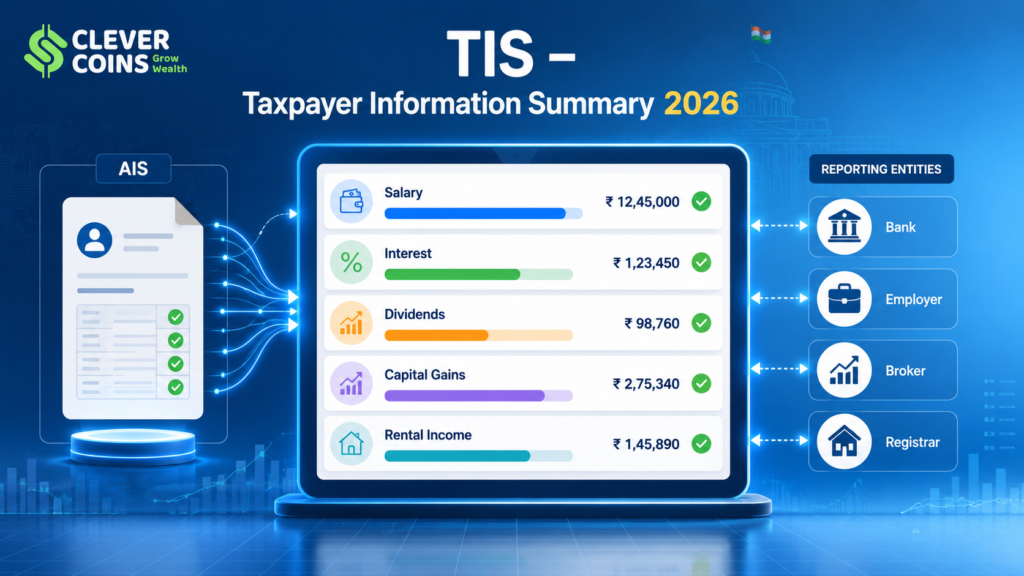
Filing your Income Tax Return (ITR) has become significantly more transparent in India, thanks to two powerful tools introduced by the Income Tax Department: the Annual Information Statement (AIS) and the Taxpayer Information Summary (TIS). While the AIS is a detailed transaction-level document, the TIS is a summarised, category-wise aggregated view of all your financial information — making it an essential checkpoint before you file your ITR for AY 2026-27.
Yet, many taxpayers are confused about what TIS actually is, how to read it, how it differs from AIS, and most importantly — what to do when the TIS data is wrong. This comprehensive guide, updated for 2026, answers all of these questions and walks you through every step of fixing TIS errors on the e-Filing Portal 2.0.
💡 Key Insight: The TIS is your most important prefill reference. If your TIS has incorrect data, your ITR pre-fill will be wrong — and submitting without fixing it can attract notices under Section 143(1) of the Income Tax Act, 1961.
1. What Is the Taxpayer Information Summary (TIS)?
The Taxpayer Information Summary (TIS) was introduced by the Central Board of Direct Taxes (CBDT) on November 1, 2021, alongside the revamped Annual Information Statement (AIS). It is available in the Income Tax Portal at incometax.gov.in under the ‘AIS/TIS’ tab in the compliance section.
Unlike the AIS — which shows individual transaction details reported by banks, employers, mutual funds, registrars, and other entities — the TIS provides a consolidated, category-wise summary of your income and financial transactions. Think of TIS as the ‘executive summary’ of your AIS.
Official Definition (CBDT)
📖 CBDT Circular 2021-22: The Taxpayer Information Summary is a summarised version of the AIS which shows aggregate value of each information category after processing taxpayer feedback on AIS. The processed value in TIS is used for pre-filling of Return of Income.
Key Features of TIS in 2026
- Available 24×7 on the e-Filing Portal 2.0 — accessible post-login
- Updated in real-time as reporting entities submit their SFT (Statement of Financial Transactions) and TDS/TCS returns
- Shows both ‘Reported Value’ and ‘Processed Value’ for each information category
- Processed Value in TIS directly feeds into the pre-filled ITR
- Covers over 40 information categories as of AY 2026-27
- Available as a downloadable PDF and JSON
2. TIS vs AIS: Understanding the Key Difference
One of the most common areas of confusion for taxpayers is the difference between AIS and TIS. Both documents are available on the income tax portal and both relate to the same underlying financial data — but they serve different purposes.
Comparison: AIS vs TIS
Parameter | AIS (Annual Information Statement) | TIS (Taxpayer Information Summary) |
Level of Detail | Transaction-by-transaction | Category-wise aggregate |
Primary Purpose | Detailed verification & feedback | Pre-fill ITR & quick review |
Number of Entries | Can have 100s of rows | One row per income category |
Shows Feedback | Yes — individual transaction feedback | Shows processed value after feedback |
Used for Pre-fill? | Indirectly | Directly — processed value fills ITR |
Format | Detailed tabular | Summary card-style |
Download Formats | PDF, JSON | PDF, JSON |
Introduced | November 2021 | November 2021 |
✅ Pro Tip: Always correct errors in AIS first via the feedback mechanism — the TIS processed value updates automatically. There is no separate ‘TIS correction’ tool.
3. How to Access Your TIS on the Income Tax Portal 2026
Accessing your TIS is simple and takes less than two minutes. Here is the step-by-step process on the e-Filing Portal 2.0 (incometax.gov.in):
Step-by-Step: Access TIS Online
- Open incometax.gov.in in your browser and click on ‘Login’
- Enter your User ID (PAN), password, and complete the CAPTCHA or Aadhaar OTP
- After login, go to the top menu: e-File → Income Tax Returns → View AIS
- You will be redirected to the AIS portal — a separate module within the income tax ecosystem
- On the AIS portal homepage, you will see two tabs: ‘AIS’ and ‘TIS’ — click on ‘TIS’
- Your TIS will load showing category-wise information for the selected Financial Year
- Select the correct financial year from the dropdown (FY 2025-26 for AY 2026-27)
- Review each information category. Click on any row to see the underlying AIS transactions
- To download: click the Download button and choose PDF or JSON format
TIS Access via Mobile App (New in 2026)
The Income Tax Department’s official mobile app (available on Android and iOS) now allows full TIS viewing. Go to: Services → AIS/TIS → Select Financial Year → TIS Tab. You can also download the PDF directly to your phone for offline reference.
📱 Mobile Tip: The mobile app shows your TIS in a clean card-based layout — each income category is shown as a separate card with reported vs processed values side by side. Much easier to read than the web version.
4. TIS Information Categories: Complete List for AY 2026-27
The TIS for AY 2026-27 covers over 40 information categories. These categories correspond to different types of income and financial transactions that reporting entities are required to submit to the Income Tax Department under the SFT (Statement of Financial Transactions), TDS returns, and other reporting mechanisms.
Part A — Salary & Pension Income
- Salary (Form 16, TDS under Section 192) — reported by employer
- Pension income from recognised pension funds and NPS
- Gratuity received — reported by employer
- Leave encashment on retirement
- Voluntary Retirement Scheme (VRS) receipts
Part B — Interest Income
- Interest from savings account (reported by banks via SFT-016)
- Interest from fixed deposits and recurring deposits (SFT-016)
- Interest from post office savings schemes (POSB, NSC, KVP, MIS)
- Interest from NPS Tier-1 and Tier-2 accounts
- Interest from bonds and debentures
- Interest from income tax refunds (Section 244A)
Part C — Dividend Income
- Dividend from domestic companies (reported under Section 194)
- Dividend from mutual funds (reported under Section 194K)
- Dividend from REITs and InvITs (new category added in 2024-25)
Part D — Capital Gains
- Sale of listed equity shares (LTCG and STCG under Sections 112A and 111A)
- Sale of equity mutual funds — direct and regular plans
- Sale of debt mutual funds — LTCG and STCG
- Sale of immovable property (reported by Sub-Registrar via SFT)
- Sale of unlisted securities
- Capital gains on bonds and debentures
- Gains from REITs and InvITs
Part E — Rental Income
- Rental income from immovable property (reported by tenants — new SFT requirement 2025)
- Rent from commercial properties above ₹50,000 per month — TDS u/s 194-IB
Part F — Business & Professional Income
- Receipts from professional services (TDS under Section 194J)
- Business receipts from contractors (TDS under Section 194C)
- Receipts from e-commerce operators (TDS under Section 194-O)
- Presumptive business income (Sections 44AD, 44ADA, 44AE)
Part G — Virtual Digital Assets (VDA / Crypto — updated 2026)
- VDA purchase transactions from registered exchanges (Section 194S TDS)
- VDA sale transactions — exchange-wise breakdown
- P2P VDA transfers (newly added for AY 2026-27 reporting)
Part H — Foreign Assets & Foreign Income
- Foreign bank accounts (Schedule FA disclosure)
- Foreign equity and debt investments
- Remittances made abroad under LRS (Liberalised Remittance Scheme)
- Foreign dividend income
Part I — Other Reportable Transactions
- Cash deposits above ₹10 lakh in savings accounts (SFT-005)
- Cash deposits above ₹50 lakh in current accounts (SFT-006)
- Credit card payments above ₹1 lakh (cash) or ₹10 lakh (non-cash) — SFT-007/008
- Purchase of mutual funds above ₹10 lakh — SFT-010
- Purchase of bonds/debentures above ₹10 lakh — SFT-011
- Purchase of shares via IPO/buyback above ₹10 lakh — SFT-012
- Time deposits (FDs) above ₹10 lakh — SFT-013
- Purchase of foreign currency above ₹10 lakh — SFT-014
- Immovable property purchases above ₹30 lakh — SFT-012A
5. Understanding ‘Reported Value’ vs ‘Processed Value’ in TIS
When you open your TIS, you will notice two values for each information category — the ‘Reported Value’ and the ‘Processed Value’. Understanding the difference is crucial to correctly reading your TIS and knowing whether action is needed.
Reported Value
The Reported Value is the total amount that has been submitted to the Income Tax Department by reporting entities (banks, employers, mutual funds, registrars, exchanges, etc.) for a particular information category. This is the raw, unprocessed figure before any taxpayer feedback has been considered.
Processed Value
The Processed Value is the amount after the Income Tax Department’s system has processed all taxpayer feedback on the AIS and applied any corrections or modifications. This is the final figure used to pre-fill your ITR.
Scenario Examples (FY 2025-26)
📊 Example 1: Bank reports ₹1,20,000 as savings account interest. You provide feedback that ₹20,000 belongs to a joint account. After processing, the Reported Value remains ₹1,20,000 but the Processed Value becomes ₹1,00,000 — this ₹1,00,000 pre-fills your ITR.
📊 Example 2: An employer reports your salary as ₹9,50,000 (including error). Your Form 16 shows ₹9,20,000. After feedback submission, the Processed Value is updated to ₹9,20,000, which correctly pre-fills your ITR.
📊 Example 3: A mutual fund reports dividend of ₹25,000 for your PAN. You find ₹5,000 is actually for another person with the same name. After feedback marked as ‘Not Pertaining to Me’, Processed Value becomes ₹20,000.
6. Most Common TIS Errors and Why They Happen
Despite the sophistication of the AIS/TIS system, errors and discrepancies are surprisingly common. Understanding why they occur helps you correct them efficiently. Here are the most frequently reported TIS issues in AY 2026-27:
Error Type 1: Income Belonging to Joint Account Included Fully in Your TIS
Banks and financial institutions report the full amount of interest on joint accounts to the first account holder’s PAN. If you are the primary holder of a joint savings or FD account, 100% of the interest will appear in your TIS — even if the income is equally shared with a co-holder.
⚖️ Legal Note: Under Indian income tax law (Section 26), income from jointly held property or accounts is generally assessed proportionately based on share/contribution. However, TDS and SFT reporting is typically done on the primary holder’s PAN. You need to disclose your proportionate share in the ITR.
Error Type 2: Income of Another Taxpayer Showing in Your TIS
This occurs when a reporting entity (bank, employer, or broker) has incorrectly linked a transaction to your PAN. Common causes include: PAN data entry error by the bank, two customers with similar names, or a clerical error at the reporting entity. This is one of the most critical errors to fix, as it inflates your taxable income incorrectly.
Error Type 3: Duplicate Transactions Reported
Occasionally, the same transaction is reported twice — once by the seller and once by the buyer, or once by the bank and once by the mutual fund. For example, an FD interest payout may be reported both under the bank’s SFT and under TDS (Form 26AS), leading to a doubled figure in TIS.
Error Type 4: Incorrect Amount Reported
A reporting entity may have submitted an incorrect amount due to data entry errors, system issues, or timing differences (e.g., FY cut-off). Your actual income may be ₹85,000 but the TIS shows ₹1,85,000.
Error Type 5: Old/Closed Account Transactions Appearing
If you closed a bank account or demat account during FY 2025-26, the closing credits may appear as new income. Similarly, maturity proceeds of FDs may be reported as interest income rather than principal + interest.
Error Type 6: VDA/Crypto Transactions Incorrectly Classified
With the new cryptocurrency reporting framework (Section 115BBH and TDS under Section 194S), crypto buy/sell values are now reported by registered exchanges. Errors occur frequently here — especially for wash trades, airdrops, staking rewards, and P2P transactions that exchanges may not categorise correctly.
Error Type 7: Employer Mismatch with Form 16
If you changed jobs during FY 2025-26 and your new employer did not account for income from the previous employer, the TDS and salary figures in TIS from both employers may not reconcile with your actual tax liability. This is a very common issue for mid-year job changers.
⚠️ Warning: Never submit your ITR if the TIS shows figures significantly different from your actual income without addressing those discrepancies. The IT Department uses TIS for automated processing (Section 143(1)) and mismatches will trigger a demand notice.
7. How to Fix Errors in TIS: Step-by-Step Guide (2026)
The key to fixing TIS errors lies in submitting feedback via the AIS module on the e-Filing Portal 2.0. There is no separate ‘TIS Correction’ mechanism — all corrections flow from the AIS. Here is the complete process:
Method 1: Submit Feedback on AIS (Primary Method)
- Log in to incometax.gov.in with your PAN and password
- Go to: e-File → Income Tax Returns → View AIS
- In the AIS portal, click on the ‘AIS’ tab (not TIS)
- Select the relevant Financial Year: 2025-26
- Browse through the information categories and find the incorrect transaction
- Click on the specific transaction row to expand the details
- Click the ‘Optional: Provide Feedback’ button next to the transaction
- A feedback dropdown will appear with the following options — select the most appropriate one:
📋 Feedback Options Available: • Information is correct | • Income is not taxable | • Income is taxable in the hands of other person | • Income is already included in the return | • Duplicate information | • Information is denied | • Income amount is incorrect (enter correct amount) | • Information is not pertaining to this PAN | • Information relates to other FY | • Other (specify)
- After selecting the feedback type, add a remark (mandatory for some feedback types)
- Click ‘Submit’. A confirmation message will appear
- Return to the TIS tab — the ‘Processed Value’ will update within 24–72 hours
Method 2: Contact the Reporting Entity Directly
If the error is at the source — i.e., the bank, employer, or broker submitted wrong data to the IT Department — you should contact them and request a correction. The reporting entity must file a revised SFT or revised TDS return with the correct data. This typically takes 15–30 days and the corrected data then reflects in your AIS and TIS.
- Contact the bank/employer/broker — provide them your PAN, the transaction details, and the nature of the error
- Request them to file a revised SFT (Form 61A) or revised TDS return (Form 26Q / 27Q)
- Follow up within 2 weeks — corrections do not happen automatically without a revised submission
- Once the reporting entity files the revised statement, your AIS will update, and the TIS processed value will adjust accordingly
Method 3: File Your ITR with Correct Income (If TIS Fix Is Delayed)
The income tax portal explicitly states that TIS data is for reference and guidance only — you are legally obligated to disclose correct income in your ITR irrespective of what TIS shows. If a TIS fix is taking too long and the ITR due date (July 31, 2026 for non-audit individuals) is approaching, you should:
- File your ITR with the correct income as per your own records (salary slips, bank statements, Form 16, broker statements)
- In the ITR, wherever the pre-filled value differs from actual, manually override it with the correct figure
- Add a note in the relevant schedule’s remarks field explaining the discrepancy (if available)
- Continue the AIS feedback process in parallel — the IT Department will generally not raise a notice if the return income is higher than or equal to the TIS processed value
✅ Pro Tip: Keep all supporting documents — bank statements, Form 16, broker contract notes, FD interest certificates — for at least 6 years. If a notice is received, these form your primary defence.
8. AIS Feedback Status: What Each Status Means
After submitting feedback on the AIS, each transaction goes through a status cycle. Understanding these statuses helps you track your corrections effectively.
AIS Feedback Status Definitions
Status | Meaning & Action |
Pending | Your feedback has been submitted and is awaiting review by the IT Department system. No action needed — check back in 48–72 hours. |
Accepted | Your feedback has been accepted. The Processed Value in TIS has been updated accordingly. No further action needed. |
Rejected | The IT Department has not accepted your feedback. Possible reason: insufficient evidence or the reporting entity has confirmed the original data. You may resubmit with additional information or contact the reporting entity. |
Partially Accepted | A part of your feedback has been accepted. Review the TIS to see the updated Processed Value and assess if further action is needed. |
Under Review | A complex feedback is being manually reviewed. This typically takes 7–15 working days. |
Closed — No Action Needed | The feedback was evaluated and the IT Department concluded no change is necessary. Consider contacting the source entity directly. |
9. TIS and ITR Pre-Fill: How the Connection Works
The most practical reason to keep your TIS accurate is its direct impact on your pre-filled ITR. Here is how the TIS feeds into each ITR form for AY 2026-27:
How TIS Data Pre-Fills ITR Schedules
- TIS: Salary → Pre-fills Schedule S (Salary Income) in ITR-1, ITR-2, ITR-3
- TIS: Interest Income → Pre-fills Schedule OS (Other Sources) — savings & FD interest
- TIS: Dividend Income → Pre-fills Schedule OS — dividend from companies and MFs
- TIS: Capital Gains (Equity) → Pre-fills Schedule 112A (LTCG) and Schedule CG (STCG) in ITR-2/3
- TIS: Capital Gains (Property) → Pre-fills Schedule CG — property sale details
- TIS: Rental Income → Pre-fills Schedule HP (House Property Income) in ITR-1/2/3
- TIS: VDA Transactions → Pre-fills Schedule VDA in ITR-2/3 (new for AY 2026-27)
- TIS: Business Receipts (TDS u/s 194C, 194J, 194-O) → Pre-fills Schedule BP in ITR-3/4
- TIS: TDS Credits → Pre-fills Schedule TDS1 and TDS2 (tax credit pre-fill)
What Happens When TIS Data Is Wrong and You File Without Fixing
If your TIS processed value is higher than your actual income and you file without correcting it, the IT Department’s CPC (Centralized Processing Centre) will compute your tax liability based on the TIS data. This results in a demand notice under Section 143(1)(a) for the difference. You would then need to file a response to the notice with supporting documents — an avoidable and time-consuming process.
⚠️ Warning: If TIS shows ₹8 lakh salary but your actual salary is ₹6.5 lakh and you file ITR showing ₹6.5 lakh without providing AIS feedback, you are likely to receive an intimation under Section 143(1) demanding tax on the ₹1.5 lakh difference. Always reconcile first.
10. TIS Reconciliation Checklist Before Filing ITR (AY 2026-27)
Use this practical checklist every year before you file your ITR to ensure your TIS is accurate and your return is error-free:
Pre-Filing TIS Verification Checklist
- ✅ Log in to incometax.gov.in and navigate to AIS/TIS for FY 2025-26
- ✅ Download TIS as PDF — keep a copy for your records
- ✅ Compare TIS salary figure with your Form 16 Part A (employer-reported TDS) and Part B (salary breakdown)
- ✅ Verify FD interest in TIS against bank-issued Form 15G/15H or bank interest certificates
- ✅ Check all savings account interest entries — identify joint accounts and mark the split
- ✅ Verify dividend income against your broker’s annual dividend statement and NSDL/CDSL Consolidated Account Statement (CAS)
- ✅ Tally capital gains in TIS against your broker’s P&L statement and SEBI-registered depository CAS
- ✅ Check rental income — ensure only your proportionate share is included
- ✅ Review VDA/crypto entries — compare with your exchange’s tax report (WazirX, CoinDCX, etc.)
- ✅ Verify foreign income/LRS entries if applicable
- ✅ Cross-check TDS credits in TIS against Form 26AS
- ✅ Submit AIS feedback for all incorrect entries — wait 48–72 hours for TIS to update
- ✅ After TIS update, verify that processed values match your actual income
- ✅ Only then proceed to file your ITR — using pre-filled data where accurate
✅ Pro Tip: The best time to review your TIS is between April 15 and June 30 — after most reporting entities have submitted their annual SFT returns. Reviewing too early (before April 15) means some data may not yet be available.
11. Important Notices Linked to TIS Mismatches
The Income Tax Department issues various notices when your ITR data does not match TIS/AIS data. Knowing these notices and their timelines helps you respond proactively.
Section 143(1) — Intimation / Demand Notice
This is the most common notice — an automated intimation issued by CPC Bengaluru after ITR processing. If TIS shows higher income than reported in your ITR, a demand will be raised for the tax on the difference. Timeline: typically issued within 9 months of filing for AY 2026-27. Respond via: e-Filing portal → e-Proceedings → Response to Outstanding Demand.
Section 139(9) — Defective Return Notice
If the ITR is filed with missing information or mandatory schedules left blank (e.g., VDA income is in TIS but Schedule VDA is empty in your ITR), CPC may issue a defective return notice. You have 15 days to file a revised/corrected return in response.
Section 148 — Notice for Income Escaping Assessment
In more serious cases where significant income omissions are detected via TIS/AIS mismatch, the Assessing Officer may issue a Section 148 notice seeking reassessment. For AY 2026-27, such notices can be issued up to 3 years from the end of the relevant assessment year (i.e., up to March 31, 2030) for omissions up to ₹50 lakh. For larger omissions (above ₹50 lakh), the time limit extends to 10 years.
Section 133(6) — Information Gathering Notice
The IT Department may send a Section 133(6) notice directly to the reporting entity (bank, broker) to verify the TIS data — especially if your feedback and the entity’s records conflict. This does not typically require action from you unless specifically asked.
12. TIS for Different Taxpayer Categories: Special Scenarios
The TIS has specific implications depending on your taxpayer category. Here are targeted insights for different types of taxpayers:
For Salaried Employees
Your TIS should primarily show salary, TDS credits from employer, interest income, and possibly dividends. The most common issue: the new employer did not account for previous employer’s income, causing the TIS to show separate salary figures. You must combine both salaries and submit the ITR accordingly — the total taxable salary in the ITR should equal the sum of both employer’s figures.
For Freelancers and Consultants
Your TIS will show professional receipts from clients (TDS under Section 194J). Compare the TIS figure with your invoices and bank credits. Any TDS shown in TIS should match TDS credits in Form 26AS. File ITR-3 or ITR-4 (if opting for presumptive taxation under Section 44ADA with threshold ₹75 lakh for FY 2025-26).
For Investors (Equity, Mutual Funds)
For FY 2025-26, LTCG on equity and equity-oriented mutual funds above ₹1.25 lakh per year is taxable at 12.5% (revised from 10% by Finance Act 2024 effective July 23, 2024). STCG is taxed at 20% (revised from 15%). Your TIS will show capital gains from securities — verify against your broker’s annual P&L statement and the CAS from NSDL/CDSL.
For NRIs (Non-Resident Indians)
NRIs must be particularly careful — TIS may show income from Indian sources (NRO account interest, rental income, capital gains on Indian investments). TDS is typically deducted at higher NRI rates. NRIs can claim treaty benefits under DTAA and may be entitled to refunds. File ITR-2 if only capital gains and other source income; ITR-3 if business income.
For Senior Citizens
Senior citizens (above 60 years) and super senior citizens (above 80 years) have higher basic exemption limits. Under the old regime: ₹3 lakh (senior) and ₹5 lakh (super senior). Under the new regime: ₹3 lakh for all. TIS should be verified carefully for interest income (often higher for retirees) and pension. Section 80TTB allows deduction of up to ₹50,000 on interest income for senior citizens under the old regime.
13. Using TIS to Maximise Your Tax Savings (2026)
TIS is not just about compliance — it is also a powerful planning tool. Here is how to use it strategically:
Identify Missing TDS Credits
If TDS has been deducted by a client or employer but it does not appear in your TIS (or Form 26AS), you cannot claim that TDS credit in your ITR. Contact the deductor immediately — they must file a revised TDS return to include your PAN and the correct TDS amount. Missing TDS credits directly increase your tax outgo.
Spot Unclaimed Deductions
Review TIS for insurance premium payments, NPS contributions, housing loan interest payments, and other items that may appear as reported transactions. If these are showing in TIS but not in your ITR deductions, you may be leaving tax savings on the table.
Plan Advance Tax Using TIS
The TIS gives you a real-time picture of your income for the year. Use it in September (before the September 15 advance tax deadline) to estimate your total annual income and ensure you have paid the correct advance tax. Underpayment of advance tax attracts interest under Sections 234B and 234C — potentially costing you hundreds or thousands of rupees in unnecessary interest.
💰 Tax Saving Tip: If your TIS shows ₹12 lakh taxable income and you have not yet invested in 80C instruments (PPF, ELSS, life insurance premium, etc.), you can reduce your taxable income to ₹10.5 lakh — saving up to ₹31,200 in tax under the old regime.
14. Frequently Asked Questions (FAQs) — TIS 2026
Q1. If I submit feedback on AIS and it is accepted, do I still need to file a revised ITR?
No, if you have not yet filed your ITR, the corrected TIS will automatically update the pre-fill. If you have already filed your ITR based on incorrect TIS data, you may need to file a revised return under Section 139(5) by December 31, 2026 for AY 2026-27.
Q2. Can I completely ignore TIS and file my ITR based on my own records?
Legally, yes — you are required to declare correct income based on your actual records, not TIS. However, if your ITR shows less income than TIS indicates, you will almost certainly receive a Section 143(1) notice. It is strongly advisable to reconcile and provide feedback before filing.
Q3. My TIS shows a large cash deposit I made in my savings account — is it taxable?
Cash deposits in savings accounts above ₹10 lakh in a financial year are reported under SFT-005. This does not automatically mean the amount is income — it may be savings, a gift, a transfer from another account, or a loan repayment. However, you will need to be prepared to explain the source of funds if questioned. Undisclosed income in cash deposits is taxable and attracts penalty under Section 68/69A.
Q4. Why does my TIS show income for FY 2025-26 that belongs to the previous year?
Timing differences are common. For example, if FD interest is credited in April 2025 but the bank reports it in the annual SFT submitted in May 2026, it may appear in your FY 2025-26 TIS. You can flag this using the ‘Relates to Other FY’ feedback option in AIS.
Q5. The reporting entity refuses to correct wrong data — what are my options?
First, submit AIS feedback marking it as ‘Information is incorrect’ with correct value. Then, file a complaint with the IT Department’s e-Nivaran / Grievance portal. For registered reporting entities (banks, NBFCs), you can also escalate to the respective regulator (RBI, SEBI, IRDA). If the matter involves significant tax, consult a CA and consider filing a writ petition as a last resort.
Q6. Does TIS show advance tax I have paid?
No. TIS does not show advance tax payments, self-assessment tax, or tax on demand payments. These are available in your Form 26AS under the ‘Part C — Details of Tax Paid’ section. These self-payment credits are reflected in the ITR filing process when you access your challan details.
15. Conclusion: Make TIS Your First Stop Before Filing ITR
The Taxpayer Information Summary is one of the most powerful — and most underutilised — tools available to Indian taxpayers. By providing a consolidated, category-wise view of all your financial transactions, it acts as a mirror that the Income Tax Department holds up against your ITR. The question is: what does that mirror reflect for you?
In 2026, with the e-Filing Portal 2.0 in full swing, AIS 2.0 updates flowing in real-time, and pre-filled ITRs covering 40+ income categories, there is no excuse for filing an ITR without first reviewing your TIS. Spend 20–30 minutes before July 31, 2026 reviewing your TIS, correcting errors via AIS feedback, and ensuring your return reflects accurate income. It could save you months of dealing with tax notices, refund delays, and avoidable tax demands.
🏁 Final Recommendation: Review TIS in April → Correct AIS in May–June → File accurate ITR by July 31, 2026. This three-step rhythm will make your tax season stress-free, every single year.