
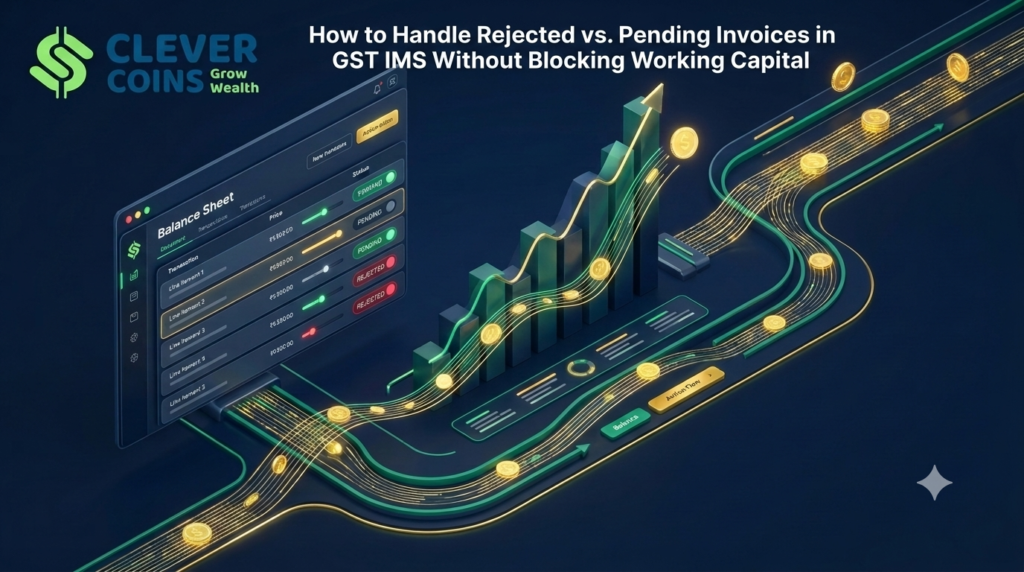
How to Handle Rejected vs Pending Invoices in GST IMS Without Blocking Working Capital
For years, Input Tax Credit (ITC) reconciliation in India operated on a reactive, post-facto model. Suppliers filed their GSTR-1, the GST portal generated a static GSTR-2B statement on the 14th of the following month, and finance teams spent the next six days manually adjusting figures inside Table 4 of GSTR-3B. If a supplier uploaded an invoice with an incorrect taxable value or if goods were still in transit at month-end, accountants had to rely on offline Excel trackers to manage temporary reversals and subsequent re-claims.
The institutionalization of the GST Invoice Management System (IMS) on the GST Portal has permanently dismantled that passive workflow. Under the current GST compliance architecture, GSTR-2B is no longer a static decree handed down by the portal; it is a dynamic statement shaped directly by the recipient’s actions inside the IMS dashboard. Every single B2B invoice, debit note, credit note, and amendment saved or filed by a supplier in GSTR-1, GSTR-1A, or IFF immediately populates the recipient’s IMS inward dashboard.
Before filing GSTR-3B, the recipient is confronted with a critical, binding operational choice for every document: Accept, Reject, or keep Pending.
While this mechanism appears straightforward on the surface, misclassifying an invoice between Rejected and Pending—or worse, relying on passive Deemed Acceptance—is currently one of the leading causes of severe working capital blockages, unintended cash outflows in GSTR-3B, vendor payment disputes, and automated litigation notices under Section 50 and Section 74A of the CGST Act.
In this comprehensive operational guide, we break down the exact legal, financial, and system-level differences between Rejected and Pending statuses in GST IMS. More importantly, we provide a battle-tested standard operating procedure (SOP) for CFOs, business proprietors, and accounting teams to manage high-volume inward supplies without choking business liquidity.
1. The Core Architecture of GST IMS: Why Every Click Impacts Your Cash Flow
To understand how working capital gets trapped inside the GST portal, we must first examine how the Invoice Management System links supplier reporting to recipient tax liability.
When a supplier saves or files an upward or downward tax document in their outward return (GSTR-1 / IFF / GSTR-1A), that record flows in real time into the recipient’s IMS dashboard. The portal categorizes these records and gives the recipient four paths:
Accept: You confirm that the tax invoice is genuine, the GSTIN and tax heads (IGST vs. CGST/SGST) are accurate, and you have satisfied all statutory conditions under Section 16(2) to claim the Input Tax Credit in the current tax period. Accepted invoices flow into the “ITC Available” section of your GSTR-2B and auto-populate directly into GSTR-3B.
Reject: You permanently discard the document from your ITC pipeline. Rejected records move to the “ITC Rejected” section of GSTR-2B, do not populate in GSTR-3B, and immediately notify the supplier’s dashboard—often triggering an increased liability or compliance flag on the supplier’s end if the rejection pertains to a credit note.
Pending: You place the document in a temporary digital holding bay (“parking lot”). A Pending record does not form part of GSTR-2B for the current month and does not auto-populate into GSTR-3B. Instead, it rolls forward on your IMS dashboard to subsequent tax periods until you actively Accept or Reject it (subject to statutory time limits).
No Action (Deemed Acceptance): If you neither Accept, Reject, nor mark an invoice as Pending before filing GSTR-3B, the system treats your silence as Deemed Acceptance. The draft GSTR-2B generated on the 14th treats all untouched records as Accepted, pulling them straight into your GSTR-3B claim.
Why “Inaction” Is a Dangerous Strategy
Many businesses assume that leaving the IMS dashboard untouched saves accounting bandwidth. In reality, Deemed Acceptance is a massive compliance trap. If a vendor accidentally uploads a duplicate invoice, bills your GSTIN for goods delivered to another branch, or uploads an invoice on March 30th for goods that physically reach your warehouse on April 4th, leaving that invoice untouched forces the credit into your current GSTR-3B.
Because you claimed ITC before physically receiving the goods (violating Section 16(2)(b)), an automated departmental audit trail can identify the gap between your e-Way Bill delivery timestamp / Goods Receipt Note (GRN) and your GSTR-3B filing, demanding immediate reversal along with mandatory interest under Section 50 and penalties.
2. How Working Capital Gets Blocked in GST IMS: The 4 Liquidity Traps
Working capital is the lifeblood of any enterprise. In the GST regime, Input Tax Credit is essentially liquid cash that can only be used to offset output tax liability. Every rupee of valid ITC that fails to reach your Electronic Credit Ledger on the 20th of the month forces you to pay an equivalent rupee out of your bank account via the Electronic Cash Ledger.
Let’s examine the four primary ways mishandling Rejected vs. Pending actions drains your business bank account:
Trap 1: Accidental Rejection of a Valid or Minor-Discrepancy Invoice
Suppose a raw material supplier raises a valid tax invoice for ₹20,00,000 plus 18% GST (₹3,60,000). Due to a temporary internal miscommunication—say, the warehouse team delayed punching the GRN into Tally Prime before the 14th of the month—your junior accountant panics during IMS review and clicks Reject instead of Pending.
The Working Capital Impact:
Once you click Reject and file GSTR-3B, that ₹3,60,000 invoice is dead in the system for that document lifecycle. You cannot pull a Rejected invoice back into your dashboard next month. To get that credit back, you must contact the vendor, convince them to either amend the invoice in GSTR-1A or issue a fresh adjustment, and wait for the next filing cycle. Meanwhile, on the 20th of the current month, your firm must pay ₹3,60,000 in hard cash from its current account to file GSTR-3B. Your working capital is instantly reduced by ₹3.6 Lakhs for 30 to 60 days.
Trap 2: Leaving Invoices in “Pending” Beyond Cut-Off Dates (Forgotten Parking Lot)
The Pending button is designed as a temporary buffer, not a permanent storage locker. Many accounting teams mark 50+ invoices as Pending on the 18th of the month because physical verification or quality checks (QC) are incomplete. The next month arrives, new invoices flood the dashboard, and the accountant forgets to filter the IMS view for “Historical Pending Records.”
The Working Capital Impact:
While you have likely already paid the supplier their base invoice amount per your 30-day credit terms, the 18% GST component remains sitting idle in the IMS Pending tab. You are financing the GST component out of your own overdraft (OD) or cash credit (CC) limit, paying 10% to 14% annual bank interest on money that legally belongs in your Electronic Credit Ledger. Worse still, if an invoice sits in Pending past the Section 16(4) cut-off date (30th November following the end of the financial year), the right to claim that ITC expires permanently—turning a temporary working capital block into a 100% P&L write-off.
Trap 3: Premature Acceptance of Supplier Credit Notes
Working capital isn’t just blocked on purchase invoices; it is frequently lost on Credit Notes. Suppose you bought ₹10,00,000 worth of goods (₹1,80,000 GST) in August, and because of a quality dispute, you kept the original purchase invoice Pending in IMS (meaning you never claimed the ₹1,80,000 ITC). In September, the supplier issues a GST Credit Note for ₹2,00,000 (₹36,000 GST) to settle the rate difference.
If your accountant blindly accepts the Credit Note in IMS without utilizing the portal’s ITC Reversal Declaration feature properly, the portal may automatically deduct ₹36,000 from your current month’s eligible ITC pool—even though you never availed the original ₹1,80,000 credit in the first place!
Trap 4: Blanket Vendor Payment Holds Destroying Supply Chain Credit Terms
To protect themselves against GST loss, many companies institute a rigid rule: “Hold 100% of vendor payment (or 18% GST component) until the invoice reflects in GSTR-2B.” When your team misuses IMS by rejecting invoices or failing to recompute GSTR-2B after accepting Pending invoices post-14th, your ERP shows the vendor as “Non-Compliant”. Blocking payments to compliant suppliers ruins vendor relationships, causes suppliers to revoke your 45-day credit period, and forces you onto “Advance Payment” terms—the ultimate working capital killer.
3. Deep-Dive Comparison: “Rejected” vs. “Pending” in GST IMS
To eliminate ambiguity at the data-entry and review levels, every tax professional and finance manager must master the structural differences between these two actions.
| Parameter | Action: REJECT | Action: PENDING |
| Core Purpose | Permanent refusal of an invalid, fraudulent, duplicate, or wrongly addressed tax document. | Temporary deferral of a genuine tax document where eligibility conditions (like goods receipt) are not yet met. |
| Impact on Current GSTR-2B | Excluded from “ITC Available”; listed separately under “ITC Rejected”. | Excluded completely from current month’s GSTR-2B generation. |
| Impact on Current GSTR-3B | Zero impact. Does not add to or reduce Table 4 ITC figures. | Zero impact in the current period. Does not populate in Table 4. |
| Reversibility After GSTR-3B Filing | Irreversible by the recipient once GSTR-3B for that period is filed. Supplier intervention is required. | Fully Reversible / Actionable in subsequent tax periods (can be Accepted or Rejected later). |
| Visibility to Supplier | Immediately visible in Supplier’s IMS Outward Dashboard; flags discrepancy. | Visible to supplier as Pending, signaling that recipient has deferred credit claim. |
| Impact on Supplier’s Liability | For rejected Credit Notes or downward amendments, the supplier’s output tax liability increases automatically. | Defers the impact depending on document category and statutory window. |
| Maximum Time Horizon | Permanent upon return lock. | Invoices/Debit Notes: Up to Section 16(4) limit (Nov 30 following FY end). Credit Notes: 1 tax period (Monthly filers) or 1 quarter (QRMP filers). |
| Mandatory Remarks Requirement | Highly recommended (and mandatory in specific amendment/CN scenarios) to create an audit trail. | Optional/Recommended on portal; mandatory in internal ERP reconciliation logs. |
4. Document-by-Document Rules: Where the Portal Restricts Your Choices
A critical mistake accountants make is assuming that Accept, Reject, and Pending are universally available across every single document type in GST IMS. The GSTN architecture enforces strict business logic based on whether a document increases or decreases tax revenue, and whether a third-party statutory system (like ICEGATE) is involved.
A. Original B2B Tax Invoices & Debit Notes
Available Actions: Accept, Reject, Pending.
Pending Time Cap: No artificial monthly cap imposed by the IMS sub-system, but strictly bounded by Section 16(4) of the CGST Act (i.e., you must accept and claim the ITC in a GSTR-3B filed on or before 30th November following the end of the financial year to which the invoice pertains, or the date of filing the annual return GSTR-9, whichever is earlier).
B. Supplier Credit Notes & Upward/Downward Amendments (Post-October 2025 Rules)
Historically, the GST portal prohibited recipients from keeping Credit Notes pending because recipients would intentionally park Credit Notes indefinitely to avoid reducing their ITC. However, recent portal enhancements introduced crucial flexibility alongside strict guardrails:
The Limited Pending Window: You can now keep a Credit Note (and specific downward amendments where the original invoice was accepted and GSTR-3B filed) Pending, but only for a strictly limited window: 1 tax period for monthly filers, and 1 quarter for QRMP filers. The exact cut-off is the due date of GSTR-3B for the applicable GSTR-2B period plus one tax period. If you fail to act before that window closes, the Credit Note is deemed accepted automatically.
The Reversal Declaration Feature: When you click Accept on a Credit Note in IMS, the portal prompts you to declare the exact ITC reversal impact:
Full Reversal: Use when you previously claimed 100% of the ITC on the original invoice.
Partial Reversal: Specify the exact rupee amount to be reversed (for instance, if you only claimed proportionate credit earlier due to Rule 42/43 exempt supply reversals or partial business use).
No (Nil) Reversal: Use when you never availed the ITC on the original invoice in the first place (e.g., the original invoice is still sitting in Pending, was Rejected, or contained blocked credit under Section 17(5)).
Mandatory Remarks: Whenever you accept a Credit Note with a Partial or Nil reversal declaration, entering a detailed explanatory remark on the IMS portal is mandatory. This protects your working capital from automatic deduction while creating a transparent disclosure for your jurisdictional GST officer.
C. Import of Goods (Bill of Entry / ICEGATE Records) & RCM Documents
Import of Goods (IOG): Invoices and Bills of Entry flowing from ICEGATE into IMS can only be Accepted or kept Pending. The Reject option is disabled. If an import record contains an error, you must keep it Pending while getting the Bill of Entry amended through Customs/ICEGATE.
Inward Supplies Attracting Reverse Charge (RCM): Where a registered supplier reports an RCM invoice, careful verification is required before rejecting, as liability under Section 9(3) or 9(4) is triggered by time-of-supply provisions independent of portal clicks.
5. The Decision Matrix: Exact Scenarios for “Reject” vs. “Pending”
To ensure your accounts payable and tax filing teams never hesitate or make a costly error between the 11th and 20th of the month, implement this definitive classification framework:
Scenarios Where You MUST Choose “PENDING” (Protect Future ITC)
Never reject an invoice if the underlying commercial transaction is real and belongs to your legal entity. Choose Pending in these six scenarios:
Goods-in-Transit (Bill-to-Ship-to / Month-End Dispatch): The vendor dispatched goods on the 28th of the month and filed GSTR-1 immediately, so the invoice appears in your IMS. However, the truck reaches your factory gate on the 3rd of the next month. Under Section 16(2)(b), you cannot claim ITC until you receive the goods. Park it in Pending this month, and Accept it next month.
Milestone Services Not Yet Certified: A software consultant or civil contractor raises an invoice on the 25th, but your project manager has not yet signed off on the Completion Certificate or Service Entry Sheet (SES). Park in Pending until internal approval is logged.
Partial Receipt or Lot Delivery: Section 16(2) states that where goods against an invoice are received in lots or installments, ITC is eligible only upon receipt of the last lot or installment. Keep the invoice Pending until the final truckload is logged in your warehouse register.
Quality Control (QC) Hold or Rate Dispute Under Negotiation: You received 1,000 units, and 150 units failed initial quality inspection. You are negotiating with the supplier to either replace the 150 units or issue a commercial/GST credit note. Keep the invoice Pending during the negotiation window so you don’t lock out the valid portion of the credit.
Internal Clarification on Section 17(5) Blocked Credit vs. Capital Goods Eligibility: Your engineering team bought specialized plant machinery or civil foundation materials, and your tax consultant is evaluating whether the item qualifies as eligible “Plant and Machinery” or falls under blocked civil structure credit under Section 17(5)(c)/(d). Keep it Pending while obtaining the legal opinion—never Reject it outright.
Rule 42 / Rule 43 Common Credit Verification: You are determining whether an inward supply is used exclusively for taxable goods, exclusively for exempt supplies, or as a common input.
Scenarios Where You MUST Choose “REJECT” (Protect Compliance Hygiene)
Click Reject (and always enter a crisp, factual remark in the portal box) only when the document should never enter your books of account in its current statutory form:
Wrong GSTIN / Wrong Branch Invoicing: A supplier delivered goods to your Gujarat plant (24XXXXX) but accidentally punched your Maharashtra head office GSTIN (27XXXXX) in GSTR-1. Because Maharashtra never received the goods, claiming or parking this credit is invalid. Reject it immediately so the supplier can amend the GSTIN in GSTR-1A.
Duplicate Invoice Upload: The supplier uploaded Invoice
#INV-2026-089in August (which you accepted) and accidentally uploaded the exact same transaction as#INV-2026-089-Ain September. Reject the duplicate immediately.Completely Bogus / Unordered Supply: An unknown GSTIN uploads an invoice against your number (either by typo or fraudulent circular trading). Reject immediately with the remark: “No commercial transaction or PO exists with this supplier.”
Incorrect Place of Supply (POS) or Wrong Tax Heads: A local vendor within your state charged IGST instead of CGST + SGST (or vice versa) due to an incorrect Place of Supply code. Claiming wrong-head tax leads to severe demand notices under Section 77 / Section 19 of the IGST Act. Reject the record and instruct the vendor to amend the tax head.
B2C Transaction Reported as B2B for Personal Director Expense: A hotel or car dealership used your company GSTIN for a purely personal expense of a director that will never be accounted for in the company’s purchase register.
Unilateral Supplier Credit Note Without Commercial Agreement: A vendor uploads a GST Credit Note to arbitrarily reduce their tax liability even though you have neither returned goods nor agreed to a price reduction. Reject the Credit Note inside IMS so your ITC is not unfairly deducted.
6. Numerical Case Study: How Rs. 14.40 Lakhs of Working Capital Is Saved via Smart IMS Action
Let’s look at a realistic monthly closing scenario for a mid-sized manufacturing and trading business in Maharashtra with a monthly purchase volume of ₹5 Crores.
The Scenario on October 15th (After Draft GSTR-2B Generation)
During the monthly reconciliation between Tally Prime Purchase Register and the GST IMS Dashboard, the Accounts Manager identifies three problematic high-value buckets totaling ₹80,00,000 in taxable value and ₹14,40,000 in GST (18%):
Bucket A (₹40 Lakhs Taxable | ₹7.20 Lakhs GST): Raw materials dispatched by a vendor from Ahmedabad on September 29th. The vendor filed GSTR-1 on October 10th. The truck reached the Bhiwandi warehouse on October 2nd. Because the accounting team closes purchase books strictly on physical GRN dates, this invoice was entered in Tally on October 2nd (falling in the Octoberpurchase register, not September).
Bucket B (₹25 Lakhs Taxable | ₹4.50 Lakhs GST): Packaging material delivered on September 24th. The vendor billed ₹105 per unit instead of the PO rate of ₹100 per unit. The purchase team has put the bill on hold awaiting a Credit Note for the ₹5/unit difference.
Bucket C (₹15 Lakhs Taxable | ₹2.70 Lakhs GST): A supplier issued a GST Credit Note in September for ₹2.70 Lakhs GST against an August invoice. However, the recipient had kept that August invoice Pending because the goods were under lab testing and had never claimed the original ITC.
Comparison of Outcomes: Untrained Team vs. Strategic IMS Team
| Action Taken | Untrained Team (Panic Reject / Blind Accept) | Strategic IMS Team (CleverCoins SOP) |
| Bucket A (Goods received Oct 2) | Mistake: Rejects invoice in September IMS because “it is not in our September Tally Purchase Register.” Result: ₹7.20L credit is destroyed. In October, when the invoice is in Tally, it is no longer on the portal! Cash outflow increases by ₹7.20 Lakhs. | Smart Move: Marks invoice as Pending in September IMS (since goods reached in Oct). On November 11th (during October filing), clicks Accept and recomputes GSTR-2B. Result: Smooth, 100% legal ITC flow with zero vendor friction. |
| Bucket B (Rate Dispute of 5%) | Mistake: Rejects the entire ₹25L invoice due to a 5% rate dispute. Result: Loses ₹4.50 Lakhs of ITC immediately while arguing over a ₹22,500 GST difference. | Smart Move: Either accepts the original invoice (since goods are received) while simultaneously getting the vendor to upload a Credit Note in GSTR-1A within the same month, OR parks in Pending for 1 month until the CN is uploaded. Result: Preserves ₹4.27 Lakhs of net eligible ITC. |
| Bucket C (Credit Note on Unclaimed Invoice) | Mistake: Leaves the Credit Note untouched (Deemed Acceptance with full reversal). Result: Portal deducts ₹2.70 Lakhs from September’s valid ITC pool, even though August ITC was never taken! | Smart Move: Clicks Accept on the Credit Note, selects “No (Nil) Reversal” declaration, and enters the mandatory remark: “Original Invoice No. X dated Aug 2026 kept Pending; ITC never availed.” Result: Saves ₹2.70 Lakhs in immediate cash outflow. |
| Net Working Capital Impact | ₹14,40,000 Blocked in Cash Outflow | ₹0 Unnecessary Blockage; 100% Compliance |
7. The Month-End Operational Blueprint: A Day-by-Day Calendar (1st to 20th)
To prevent last-minute chaos on the 19th and 20th of the month, your finance team needs a synchronized calendar that bridges Tally Prime / ERP, the GST IMS Dashboard, GSTR-1A, and Vendor Communication.
Days 1 to 10: Continuous IMS Monitoring & Pre-Filing Hygiene
Do not wait until the 14th of the month to open the IMS dashboard! As soon as your major suppliers save invoices in their GSTR-1 (even before filing), those records begin appearing on your IMS dashboard.
Action: Run a mid-month sync on the 8th. Identify any obvious GSTIN errors, wrong tax heads, or missing invoices from key suppliers.
Benefit: If you spot an error before the 11th (GSTR-1 due date), you can call the supplier to fix it directly inside their GSTR-1 before they even file it—eliminating the need for Reject/Pending altogether.
Days 11 to 13: The Pre-2B Reconciliation Window
Once the GSTR-1 filing window closes on the 11th, almost all supplier invoices are visible in IMS.
Action: Download the IMS JSON/Excel file (or use the GST IMS Offline Tool / Tally Prime connected GST module) and run an automated 5-point match against your Purchase Register:
Supplier GSTIN
Invoice Number & Date
Taxable Value (with a tolerance limit of ± ₹1 to ₹10 for rounding off)
Tax Rate & Tax Heads (IGST vs. CGST/SGST)
Physical GRN / Service Entry confirmation
Day 14: Draft GSTR-2B Generation & The “GSTR-1A” Rescue Window
On the 14th, the portal generates the draft GSTR-2B. This is where high-performing tax teams use GSTR-1A to unblock working capital within the same month.
How the GSTR-1A Rescue Works: Suppose a vendor forgot to upload an invoice of ₹50 Lakhs (₹9 Lakhs GST) in their GSTR-1 by the 11th, or uploaded it with the wrong GSTIN (forcing you to Reject it). Under the old regime, your ₹9 Lakhs ITC was blocked until next month. Now, the supplier can open GSTR-1A (available from the 14th until they file GSTR-3B) and add or amend that invoice! As soon as the supplier files GSTR-1A, the corrected invoice flows into your IMS immediately, allowing you to Accept it and claim the credit in the same tax period.
Days 15 to 18: Finalizing IMS Actions & The Mandatory “Recompute GSTR-2B” Step
Between the 15th and 18th, your team must execute four distinct passes on the IMS dashboard:
Pass 1 (Current Month Matches): Mark all verified invoices as Accept.
Pass 2 (Historical Pending Clearance): Filter the IMS dashboard specifically for “Pending from Previous Periods.” Cross-check against current month GRNs. Any goods that arrived this month against last month’s pending invoices must be changed from Pending to Accept.
Pass 3 (Credit Notes & Amendments): Review all Credit Notes. Apply the Reversal Declaration (Full / Partial / Nil) with mandatory remarks. Check if any Credit Note kept pending last month is hitting its 1-month expiry limit.
Pass 4 (Exceptions): Mark genuine in-transit/unverified bills as Pending and invalid bills as Reject (with remarks).
CRITICAL SYSTEM STEP — RECOMPUTE GSTR-2B:
Many accountants take actions on the IMS dashboard on the 16th or 17th and immediately open GSTR-3B, shocked to see the old ITC numbers still sitting there. GSTR-2B does NOT update automatically after the 14th. Whenever you change a single record’s status (Accept, Reject, or Pending) after the 14th, you MUST click the “Recompute GSTR-2B” button on the IMS dashboard before proceeding to GSTR-3B. In fact, if you have pending actions after the 14th, the portal will restrict GSTR-3B filing until GSTR-2B is recomputed.
Days 19 to 20: GSTR-3B Lock & Post-Filing Vendor Advices
Once your recomputed GSTR-2B matches your reconciled working sheet, file GSTR-3B. Remember: Filing GSTR-3B permanently locks your IMS actions for that tax period. Immediately after filing, export your IMS Action Report and trigger automated email advices to every vendor whose invoice was marked Rejected or Pending, detailing the exact action required from their side.
8. Protecting Working Capital in Vendor Contracts & Payment Terms
How do you protect your company from negligent vendors without choking your supply chain or triggering MSME Samadhaan penalties?
The “Proportional GST Retention” Policy (Instead of 100% Bill Hold)
When a vendor’s invoice is missing from IMS or has to be Rejected due to a vendor typo, freezing 100% of the invoice payment (₹1,18,000) creates massive friction and disrupts raw material supply. Instead, upgrade your Accounts Payable policy to Proportional GST Retention:
Release 100% of the base taxable value (₹1,00,000) on the scheduled due date (provided goods/services are received and accepted).
Temporarily hold only the 18% GST component (₹18,000) in a “GST Hold Clearing Ledger” in Tally Prime.
Release the ₹18,000 within 48 hours of the vendor amending the invoice in GSTR-1A / next GSTR-1 and the record becoming Acceptable in your IMS.
Navigating the MSME Section 43B(h) & 45-Day Payment Rule
For Micro and Small Enterprise (MSE) suppliers registered under Udyam, Section 15 of the MSMED Act and Section 43B(h) of the Income Tax Act mandate payment within 15 to 45 days. If you withhold the 18% GST component beyond 45 days (or across the March 31st financial year-end cutoff) because the MSME vendor failed to upload the invoice in GSTR-1, tax auditors often raise a crucial question: Does withholding the GST component trigger a Section 43B(h) disallowance or MSME compound interest?
To safeguard your working capital and income tax deductions:
Incorporate an explicit GST Compliance Condition Precedent Clause in all Purchase Orders (POs) and Vendor Master Agreements stating that “Submission of a valid tax invoice includes both physical/digital delivery of the invoice AND accurate reflection of the said invoice on the GSTN Invoice Management System (IMS) without error. Any tax component withheld solely due to the Supplier’s default in GSTR-1/1A reporting shall not constitute an overdue commercial debt until rectified by the Supplier.”
For March close (Year-End), run a special MSME IMS Drive on March 25th to ensure all MSE vendors resolve pending/rejected items before the year-end balance sheet freeze.
9. Handling High-Volume Invoices: Tally Prime & Excel Offline Tool Integration
If your business processes fewer than 50 purchase invoices a month, clicking buttons directly on the GST Portal web interface is manageable. However, if your enterprise processes 500 to 50,000 invoices per month across multiple branches, manual portal clicking will lead to human fatigue, browser timeouts, and expensive clicking errors.
Here is how to automate the workflow:
Master the GST IMS Excel-Based Offline Tool: Download the official IMS JSON file from the GST portal, import it into the GSTN Offline Utility or your specialized Excel reconciliation macro, and sort invoices by match status:
Exact Match $\rightarrow$ Bulk mark
A(Accept)In-Transit / Next Month GRN $\rightarrow$ Bulk mark
P(Pending)Wrong Tax Head / Duplicate / Unknown Vendor $\rightarrow$ Bulk mark
R(Reject)Export the JSON payload and upload it back to the portal in a single batch.
Create Three Dedicated Sub-Ledgers in Tally Prime: Stop maintaining a single monolithic “Input CGST/SGST/IGST” ledger. Split your accounting architecture into three clear buckets:
Ledger 1:
Eligible ITC - Claimed (IMS Accepted): Matches your recomputed GSTR-2B and GSTR-3B Table 4(A) to the exact rupee.Ledger 2:
ITC in Transit / Hold (IMS Pending): Holds the GST component of invoices parked in the IMS Pending tab. Every month, your audit team must reconcile the closing balance of this Tally ledger against the exact total of the “Pending Records” tab on the GST portal. If the two numbers match, zero working capital is ever lost or forgotten!Ledger 3:
Disputed GST Recoverable from Vendor (IMS Rejected): When you reject a vendor’s wrong invoice in IMS, debit the GST component back to a vendor-specific hold/recoverable sub-ledger until they issue a rectified invoice.
10. Statutory Time Limits & Audit Risks: Section 16(4), Rule 37A, and Section 74A
Even when an invoice is safely parked in Pending, the clock is ticking. Finance heads must monitor three statutory deadlines:
The Section 16(4) Hard Stop (30th November): All invoices and debit notes relating to a Financial Year (e.g., FY 2025-26 or FY 2026-27) that are sitting in your IMS Pending bucket must be Accepted and claimed in a GSTR-3B filed on or before 30th November following the end of that financial year. In October every year, run a mandatory “Section 16(4) Pending Sweep” across your IMS dashboard to ensure zero prior-year invoices remain parked.
The 180-Day Vendor Payment Rule (Second Proviso to Section 16(2) & Rule 37): Once you Accept an invoice in IMS and claim the ITC in GSTR-3B, you must pay the supplier the invoice value plus tax within 180 days from the date of issue of the invoice. If a quality dispute drags on beyond 180 days after you accepted the invoice, you will have to reverse the claimed ITC along with interest under Section 50. Pro-Tip: This is precisely why keeping a heavily disputed invoice in Pending initially is smarter than accepting it prematurely and triggering the 180-day interest clock!
Rule 37A (Supplier Filing Default): Even if you Accepted an invoice in IMS because the supplier saved it in GSTR-1, your ITC remains vulnerable under Rule 37A if the supplier fails to actually deposit that tax via their GSTR-3B by 30th November following the end of the financial year. Always pair your IMS review with a quarterly vendor GSTR-3B filing status check.
11. Frequently Asked Questions (FAQs) on GST IMS Rejected vs. Pending Invoices
Q1. What happens if I accidentally click “Reject” on a genuine invoice in IMS and file my GSTR-3B?
Once GSTR-3B is filed for that period, the Rejection is permanently locked on your end. You cannot undo it or move it to Pending in the next month. To recover your ITC, you must ask the supplier to either report an amendment/rectification via GSTR-1A or re-report/adjust the document as permitted under portal rules so a fresh actionable record flows to your IMS dashboard.
Q2. Can I edit the taxable value or GST amount of an invoice directly inside the IMS dashboard?
No. IMS is an action-based system (Accept, Reject, Pending), not an invoice editing tool. If an invoice has a ₹50,000 error, you cannot edit the figure yourself. You must either keep the invoice Pending (while the supplier issues a Credit/Debit Note or amends the invoice in GSTR-1A) or Reject it if the entire invoice is fundamentally flawed. (Exception: When accepting a Credit Note, you can specify a Partial or Nil ITC reversal amount via the declaration dialog).
Q3. How long can I keep a Purchase Invoice vs. a Credit Note in “Pending” status?
A normal Purchase Invoice or Debit Note can be kept Pending across multiple months until you act on it, bounded legally by the Section 16(4) time limit (30th November following the end of the financial year). However, a Credit Note (and specific downward amendments) can only be kept Pending for one tax period (for monthly filers) or one quarter (for QRMP filers). If not acted upon within that window, the Credit Note is automatically deemed accepted.
Q4. Why is the “Reject” button greyed out or unavailable on certain invoices in my IMS dashboard?
The GST portal restricts Rejection for specific document categories where rejection is legally or technically untenable—most notably Import of Goods (Bills of Entry from ICEGATE) and certain downward amendments where prior actions lock the trail. For Import of Goods, you can only select Accept or Pending.
Q5. If I take no action at all on my IMS dashboard, will my ITC be blocked?
No, your ITC will not be blocked—instead, all untouched records will undergo Deemed Acceptance and flow automatically into your GSTR-2B and GSTR-3B. However, this creates a massive compliance hazard: any ineligible credit (Section 17(5)), goods-in-transit invoices (violating Section 16(2)(b)), or duplicate vendor bills will be claimed illegally in your return, exposing you to 18%/24% interest demands and penalties during departmental scrutiny.
Turn GST Compliance Into a Working Capital Advantage with CleverCoins
Managing hundreds of supplier invoices, tracking historical pending buckets, declaring accurate credit note reversals, and recomputing GSTR-2B before the 20th of every month requires precision tax engineering. A single wrong click on the IMS dashboard can lock up lakhs of rupees in liquid cash or trigger an automated GST scrutiny notice.
At CleverCoins, we don’t just file returns—we protect your bottom line and optimize your cash flow. From end-to-end GST IMS reconciliation and Tally Prime ledger mapping to handling GST litigation, vendor compliance frameworks, and high-volume GSTR-3B filings, our specialized team ensures every eligible coin of Input Tax Credit stays right where it belongs: in your business.
Email: client@clevercoins.org
- Call / WhatsApp for Consultation: +91 77389 59862
Related posts:
Demystifying GST on Agricultural Produce: The Ultimate Guide for Farmers, Traders, and Businesses
Demystifying the Time of Supply Under GST: A Comprehensive Compliance Guide
GSTR-9 Annual Return
Form 16 vs Form 16A vs Form 16B
GST on Bitcoins & Cryptocurrency
What is a Debenture? Types, Risks & Everything You Need to Know
GST Compliance Calendar for Start-ups (FY 2026-27)
Blog Content: GST on Works Contract – Budget 2026 Changes
GST e-Invoice System – Mandatory Limits 2026: The Ultimate Compliance Guide for Businesses
Homebuyer Rights Under RERA
Related posts:
 The Deemed Acceptance Trap in GST IMS: How Unattended Invoices Trigger Penalties on the 14th
 GST 2.0 Tax Rate Restructuring: Navigating the 5% and 18% Slabs Without Systemic Mismatches
 Step-by-Step Guide to Using the Excel-Based GST IMS Offline Tool for High-Volume Invoices
 How to Respond to GST Notice DRC-01 for Input Tax Credit Mismatches: Step-by-Step Draft