
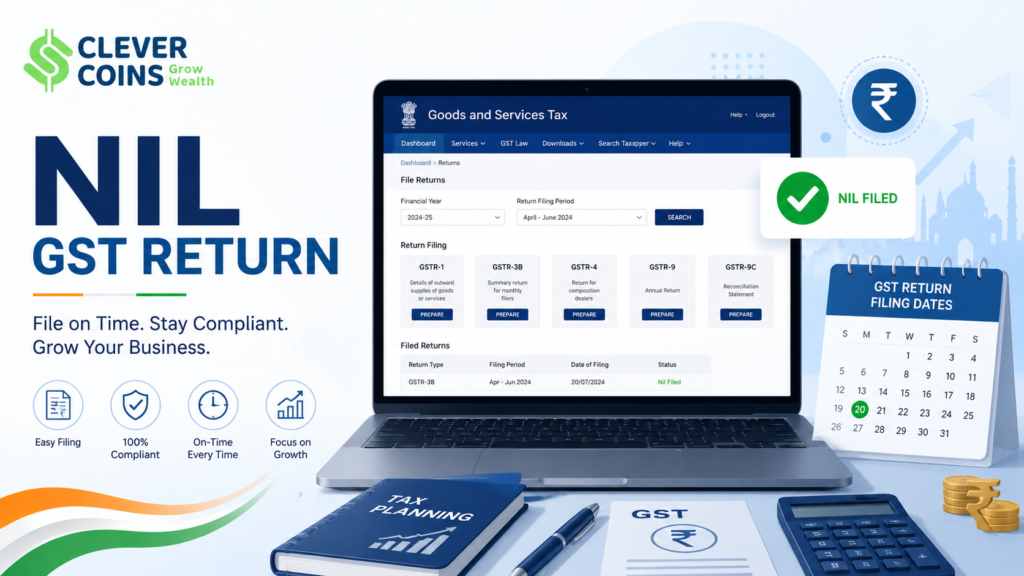
In the Indian GST (Goods and Services Tax) ecosystem, every registered taxpayer is obligated to file GST returns — even if there is zero business activity during a particular tax period. This mandatory filing is known as a Nil GST Return. Whether you are a small business owner, a freelancer, a startup in its dormant phase, or a seasonal trader, understanding how to file Nil GST Returns for GSTR-1 and GSTR-3B is absolutely essential to remain compliant and avoid penalties in 2026.
This comprehensive guide covers every aspect of Nil GST Return filing — what it means, who needs to file, which forms are involved, step-by-step filing procedures on the GST portal, deadlines, penalties for non-compliance, and much more — all updated as per the latest Indian GST laws and notifications effective in 2026.
-
What is a Nil GST Return?
Understanding the Concept of Nil Return
A Nil GST Return is a return filed by a registered taxpayer when they have had absolutely no taxable outward supplies (sales), no inward supplies (purchases on which they wish to claim ITC), no tax liability, and no claim for Input Tax Credit (ITC) during a given tax period.
In simple terms: if your business did not make any sale or purchase in a month or quarter, you still must inform the GST authorities by filing a ‘Nil’ return.
|
⚠️ Key Point |
|
Filing a Nil Return is NOT optional. Even if your turnover is ₹0 for a period, failing to file a Nil Return attracts late fees and interest as per GST law. |
Who Qualifies to File a Nil Return?
A taxpayer can file a Nil Return if ALL of the following conditions are met for the specific tax period:
- No outward taxable supplies (no sales — domestic or interstate)
- No inward supplies liable to reverse charge (RCM)
- No amendments to previously filed returns
- No claim of ITC from purchases
- No tax liability under any head (CGST, SGST/UTGST, IGST, Cess)
- No advance received from customers
-
Which GST Returns Require Nil Filing?
Key Forms — GSTR-1 and GSTR-3B
Two primary monthly/quarterly returns must be filed as Nil returns when there is no business activity:
|
Form |
Purpose |
Filing Frequency |
|
GSTR-1 |
Details of outward supplies (sales) |
Monthly or Quarterly (QRMP) |
|
GSTR-3B |
Summary return with tax liability & ITC |
Monthly or Quarterly (QRMP) |
|
GSTR-9 |
Annual return |
Annually (Not Nil-specific) |
|
CMP-08 |
Composition dealers quarterly statement |
Quarterly |
Note: GSTR-2 and GSTR-3 are currently suspended. GSTR-9 annual return filing is not technically a ‘Nil’ return but must be filed even if turnover is zero (if registered).
-
GSTR-1 Nil Return — Detailed Guide
What is GSTR-1?
GSTR-1 is the return in which a registered taxpayer reports all outward supplies (sales) made during a tax period. It includes B2B invoices, B2C invoices, export invoices, debit/credit notes, advance receipts, and amendments.
When there are no sales in a period, GSTR-1 is filed as Nil — leaving all tables blank or confirming Nil submission.
Filing Frequency for GSTR-1 in 2026
|
Category of Taxpayer |
Aggregate Turnover |
Frequency |
|
Regular Taxpayer |
More than ₹5 crore p.a. |
Monthly |
|
QRMP Scheme Taxpayer |
Up to ₹5 crore p.a. |
Quarterly |
|
Newly Registered (opted QRMP) |
Any |
Quarterly |
Due Dates for GSTR-1 Nil Return Filing — 2026
|
Return Type |
Period |
Due Date |
|
GSTR-1 (Monthly) |
Every Month |
11th of following month |
|
GSTR-1 (Quarterly – QRMP) |
Apr–Jun 2026 |
31st July 2026 |
|
GSTR-1 (Quarterly – QRMP) |
Jul–Sep 2026 |
31st October 2026 |
|
GSTR-1 (Quarterly – QRMP) |
Oct–Dec 2026 |
31st January 2027 |
|
GSTR-1 (Quarterly – QRMP) |
Jan–Mar 2027 |
30th April 2027 |
Step-by-Step: How to File GSTR-1 Nil Return Online (2026)
Method 1: Via GST Portal (gst.gov.in)
Follow these steps carefully:
- Login to GST Portal: Go to www.gst.gov.in → Click ‘Login’ → Enter your GSTIN, username and password.
- Navigate to Returns: Dashboard → Services → Returns → Returns Dashboard.
- Select Financial Year & Tax Period: Choose the correct year (2025-26 / 2026-27) and month/quarter.
- Prepare GSTR-1: Click on ‘Prepare Online’ under the GSTR-1 tile.
- Skip All Tables: Since it’s a Nil return, do not add any invoice or supply details in any table (4A, 4B, 6, 7, 9, 10, 11, etc.).
- Generate Summary: Click on ‘Generate GSTR-1 Summary’ button.
- Submit: Click ‘Submit’ → a confirmation pop-up appears → Click ‘Proceed’.
- File using DSC or EVC: Sign using Digital Signature Certificate (DSC) or Electronic Verification Code (EVC via OTP on registered mobile).
- Download ARN: After successful filing, download the Acknowledgement Reference Number (ARN) as proof.
Method 2: Via SMS (For QRMP Taxpayers — Nil Filing)
|
📱 SMS-Based Nil GSTR-1 Filing |
|
Format: NIL<SPACE>R1<SPACE>GSTIN<SPACE>Period (mmyyyy) Example: NIL R1 27AABCD1234E1Z5 042026 Send to: 14409 You will receive an OTP to confirm. Reply with OTP to complete filing. Applicable for: QRMP scheme taxpayers filing Nil GSTR-1 only. |
-
GSTR-3B Nil Return — Detailed Guide
What is GSTR-3B?
GSTR-3B is a self-declared summary return filed by registered taxpayers every month (or quarterly under QRMP). It is the primary return where you disclose your tax liability, ITC claimed, and pay any outstanding GST dues. When there is no business activity, GSTR-3B is also filed as Nil.
Due Dates for GSTR-3B in 2026
|
Category |
State/UT |
Due Date (Monthly) |
|
Turnover > ₹5 Cr (Group 1) |
Maharashtra, Karnataka, Gujarat, etc. |
20th of next month |
|
Turnover > ₹5 Cr (Group 2) |
Remaining states/UTs |
22nd of next month |
|
QRMP Scheme Taxpayers |
All states |
22nd/24th after quarter-end |
Step-by-Step: How to File GSTR-3B Nil Return Online (2026)
- Login: Visit www.gst.gov.in → Login with GSTIN credentials.
- Go to Returns Dashboard: Services → Returns → Returns Dashboard → Select year and period.
- Prepare GSTR-3B Online: Click on ‘Prepare Online’ under GSTR-3B tile.
- Nil Declaration Question: The portal will ask ‘Do you want to file Nil GSTR-3B?’ — Click ‘Yes’.
- Confirm Nil: All sections (3.1, 3.2, 4, 5, 6, 7, 8) will auto-fill with zeros.
- Preview: Click ‘Preview’ to verify all fields show ₹0.
- Proceed to File: Click ‘Proceed to File’ → Make declaration checkbox → Select authorized signatory.
- File with DSC/EVC: Choose DSC (for companies/LLPs) or EVC (OTP-based for others).
- Get ARN: Download and save the ARN receipt — filing is complete.
SMS Method for GSTR-3B Nil Filing
|
📱 SMS-Based Nil GSTR-3B Filing |
|
Format: NIL<SPACE>3B<SPACE>GSTIN<SPACE>Period (mmyyyy) Example: NIL 3B 27AABCD1234E1Z5 042026 Send to: 14409 OTP confirmation required. Reply with OTP to complete. Applicable for: All regular and QRMP taxpayers filing Nil GSTR-3B. |
-
GSTR-3B Key Sections — What to Enter for Nil Return
Section-wise Breakdown for Nil GSTR-3B
|
Section |
Description |
Entry for Nil Return |
|
3.1 |
Outward taxable supplies |
₹0 in all fields |
|
3.2 |
Interstate supplies to unregistered persons |
₹0 |
|
4 |
Eligible ITC (Input Tax Credit) |
₹0 in all sub-fields |
|
5 |
Values of exempt, nil, non-GST inward supplies |
₹0 |
|
6.1 |
Payment of tax (CGST/SGST/IGST/Cess) |
₹0 payable |
|
7 |
TDS/TCS credits |
₹0 |
|
8 |
Tax payable and paid |
₹0 — No payment needed |
-
Late Fees & Penalties for Non-Filing — 2026 Rules
What Happens If You Don’t File Nil Return?
Non-filing of GST returns — even Nil returns — attracts significant late fees as per Section 47 of the CGST Act, 2017. Here are the applicable late fees in 2026:
|
Return |
Nil Taxpayers |
Other Taxpayers |
Maximum Cap |
|
GSTR-1 |
₹20/day (₹10 CGST + ₹10 SGST) |
₹50/day (₹25 CGST + ₹25 SGST) |
₹2,000 for Nil filers |
|
GSTR-3B |
₹20/day (₹10 CGST + ₹10 SGST) |
₹50/day (₹25 CGST + ₹25 SGST) |
₹2,000 for Nil filers |
|
GSTR-9 |
Waived for small taxpayers* |
₹200/day (₹100 CGST + ₹100 SGST) |
0.25% of Turnover |
*As per GST Council notifications, late fees for GSTR-9 for taxpayers with turnover up to ₹2 crore have been waived for several years; check the latest notification for FY 2025-26.
|
💡 Important Note on Penalties |
|
Interest @ 18% per annum applies on any unpaid tax (not applicable for true Nil filers). Cancellation of GST Registration can happen if returns are not filed for 6 consecutive months (Rule 21 of CGST Rules). Blocking of e-Way Bill generation is triggered for non-filing of two consecutive GSTR-3B returns. The GST portal automatically blocks e-Way Bill access — affecting your business operations directly. |
-
QRMP Scheme and Nil Filing — 2026
QRMP Scheme Overview for Nil Filers
The Quarterly Return Monthly Payment (QRMP) scheme, effective for taxpayers with aggregate turnover up to ₹5 crore, allows quarterly filing of GSTR-1 and GSTR-3B. However, for Nil filers, the convenience is greater:
- File GSTR-1 and GSTR-3B once every quarter instead of monthly
- Can use SMS-based Nil filing for both forms
- No invoice furnishing facility (IFF) is required to be used for Nil quarters
- PMT-06 (monthly payment form) is also filed as Nil — ₹0 — in the first two months of the quarter
PMT-06 Nil Filing for QRMP Taxpayers
Under QRMP, taxpayers must pay monthly using PMT-06. For Nil months:
- No payment challan is needed if there is zero liability
- However, ensure no ITC needs to be reversed before declaring zero liability
- PMT-06 due date: 25th of following month for months 1 and 2 of the quarter
-
Common Mistakes to Avoid in Nil Return Filing
Errors That Can Cost You — Avoid These
- Filing late assuming Nil means no obligation: Every registered taxpayer must file on time — Nil or otherwise.
- Not checking GSTR-2B: Even in Nil periods, check GSTR-2B for any auto-populated ITC. Reconcile before filing.
- Wrong financial year or period selected: Always verify the FY and month/quarter before submitting.
- Using wrong filing method: Companies and LLPs must use DSC. Others can use EVC.
- Ignoring amendment requirement: If a previous period had errors, use amendment tables — don’t skip them.
- Filing GSTR-3B before GSTR-1: While allowed, ensure GSTR-1 is filed first to avoid discrepancies.
- Forgetting composition dealers: Composition taxpayers file CMP-08, not GSTR-3B. Don’t mix forms.
-
Frequently Asked Questions (FAQs)
Top FAQs on Nil GST Return Filing
Q1. Is Nil GST Return filing mandatory even if there are no transactions?
Yes. As per Section 39 of the CGST Act, 2017, every registered taxpayer must file returns for every tax period regardless of whether there are any transactions or not. Non-filing attracts late fees.
Q2. Can I file Nil GSTR-1 even if I have some purchases (inward supplies)?
Yes, GSTR-1 covers only outward supplies (sales). If you had purchases but zero sales, you still file Nil GSTR-1. However, in GSTR-3B, you may still need to report ITC and any RCM transactions.
Q3. Can I cancel my GST registration to avoid Nil filing?
Yes, if you have permanently ceased business or do not have a liability to register, you can apply for GST registration cancellation under Section 29 of CGST Act. Once cancelled, you must still file GSTR-10 (Final Return) within 3 months of cancellation order.
Q4. Is there a penalty for filing Nil return after the due date?
Yes. Late fees for Nil filers is ₹20 per day (₹10 CGST + ₹10 SGST), subject to a maximum of ₹2,000 per return, per period. This is a concessional rate compared to ₹50/day for non-Nil taxpayers.
Q5. How do I check if my Nil return was successfully filed?
Log in to the GST portal → Services → Returns → Track Return Status → Select the form and period → The status will show ‘Filed’ along with the ARN (Acknowledgement Reference Number).
Q6. Do I need to file GSTR-9 (Annual Return) if I had a Nil year?
For FY 2025-26, taxpayers with aggregate turnover up to ₹2 crore are exempt from mandatory GSTR-9 filing (as per GST Council decisions). However, for turnover above ₹2 crore, GSTR-9 must be filed even for a Nil year. Always check the latest CBIC notification.
Q7. Can I amend a Nil return later if I missed reporting some transaction?
Yes. Amendments to GSTR-1 can be made in the subsequent month’s GSTR-1 using amendment tables (Table 9, 10, 11). For GSTR-3B, any corrections in ITC are adjusted in subsequent periods.
Q8. What is the difference between Nil Return and Zero Return?
In common usage, ‘Nil Return’ and ‘Zero Return’ mean the same thing in GST — a return filed with all zeros indicating no transaction in that period. The official GST portal uses the term ‘Nil’ return.
-
Pre-Filing Checklist for Nil GST Return
Ensure Everything is in Order Before Filing
|
# |
Checklist Item |
Status |
|
1 |
Confirm no outward supplies (invoices/debit notes/advances) during period |
☐ Done |
|
2 |
Check GSTR-2B — ensure no significant ITC to claim (else GSTR-3B is not truly Nil) |
☐ Done |
|
3 |
Verify no RCM liability exists for the period |
☐ Done |
|
4 |
Ensure correct financial year and tax period are selected on portal |
☐ Done |
|
5 |
DSC is valid (for companies/LLPs) or mobile is registered for EVC OTP |
☐ Done |
|
6 |
File GSTR-1 (Nil) first, then GSTR-3B (Nil) |
☐ Done |
|
7 |
Download and save ARN receipt for both returns |
☐ Done |
|
8 |
Update your accounts/records to reflect Nil period |
☐ Done |
-
GST Compliance Calendar — 2026 (Key Dates)
Important Due Dates to Remember in 2026
|
Month |
Return |
Due Date |
For Nil Filers |
|
January 2026 |
GSTR-1 (Monthly) |
11 Jan 2026 |
SMS or Online |
|
January 2026 |
GSTR-3B (Monthly) |
20/22/24 Jan 2026 |
SMS or Online |
|
April 2026 |
GSTR-1 (Qtrly Q4) |
30 Apr 2026 |
SMS or Online |
|
April 2026 |
GSTR-3B (Qtrly Q4) |
22/24 Apr 2026 |
SMS or Online |
|
July 2026 |
GSTR-1 (Qtrly Q1) |
31 Jul 2026 |
SMS or Online |
|
July 2026 |
GSTR-3B (Qtrly Q1) |
22/24 Jul 2026 |
SMS or Online |
|
October 2026 |
GSTR-1 (Qtrly Q2) |
31 Oct 2026 |
SMS or Online |
|
October 2026 |
GSTR-3B (Qtrly Q2) |
22/24 Oct 2026 |
SMS or Online |
|
December 2026 |
GSTR-9 (Annual) |
31 Dec 2026 |
If applicable |