The Ultimate Guide to GST Portal Helpdesk & Grievance Redressal
Navigating India’s Goods and Services Tax (GST) framework requires precision, timeliness, and absolute technical compliance. However, even the most diligent business owners and tax professionals occasionally hit roadblocks. Whether it is an unexpected error code during GSTR-3B filing, a payment gateway timeout where cash ledgers fail to update, or Input Tax Credit (ITC) mismatches under modern invoice matching frameworks, technical hurdles are a reality of digital compliance.
When these roadblocks appear, knowing how to leverage the GST Portal Helpdesk and Grievance Redressal mechanism is essential to prevent erroneous penalties, avoid interest liabilities, and maintain a pristine compliance record.
At Clever Coins, we transform the complexities of tax systems into strategic advantages. This exhaustive guide explores every facet of the GST helpdesk infrastructure, official communication channels, step-by-step grievance filing workflows, advanced escalation matrices, and preventive strategies to safeguard your business.
Chapter 1: Channels of Communication Available on the GST Ecosystem
The Goods and Services Tax Network (GSTN) provides structured multi-tiered support channels to address taxpayer grievances, system glitches, and procedural queries. Understanding which channel to use for your specific problem saves valuable time.
1. Self-Service Portal (Raise a Ticket / Grievance)
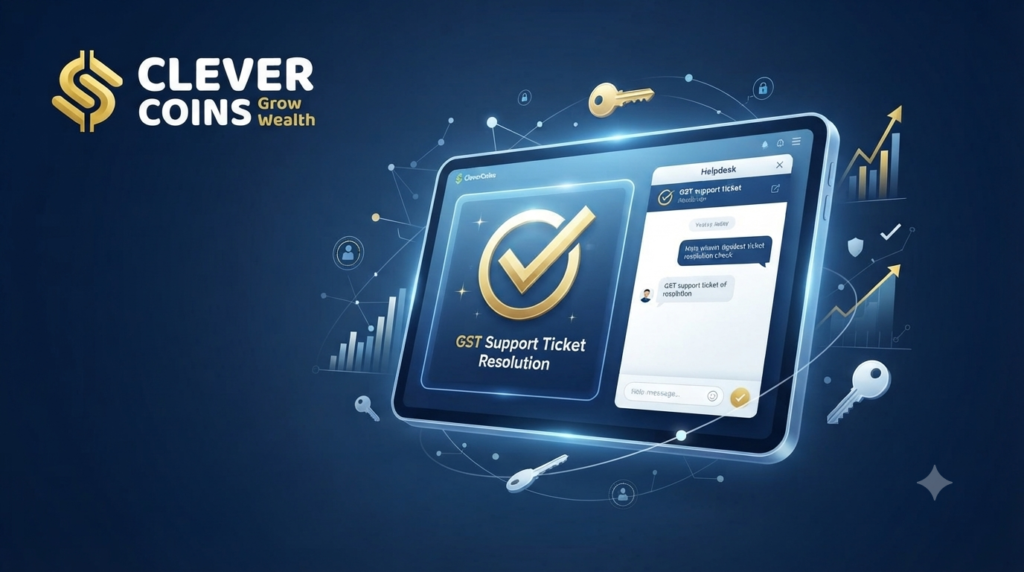
The self-service portal (selfservice.gstsystem.in) is the most systematic, trackable, and reliable method for addressing technical and functional errors. Taxpayers can log in securely, choose precise error categories, upload high-resolution error screenshots, and receive a unique Ticket Reference Number (TRN) for end-to-end tracking.
2. Toll-Free Telephonic Support
For immediate operational guidance or urgent procedural clarifications, the GST Helpdesk runs a dedicated toll-free helpline:
GST Helpdesk Number:
1800-103-4786Trained customer care representatives guide callers through interface navigation, pre-login registration doubts, and general return filing queries.
3. AI-Powered Chatbot: GITA
To cut down wait times for frequent, repetitive questions, the portal features GITA (GST Interactive Technical Assistant). GITA functions as an intelligent virtual assistant capable of instantly troubleshooting common navigation and filing syntax errors.
4. Specialized Escalation Pathways
For issues that bypass tier-one support—such as prolonged electronic cash ledger freezes, complex adjudication blocks, or structural assessment errors—structured escalation protocols route tickets to senior technical officers and central nodal authorities.
Chapter 2: Common Grievances Faced by Taxpayers on the GST Portal
Before lodging a formal ticket, identifying the root cause of your portal friction ensures your complaint routes directly to the correct technical cell without unnecessary delays.
Taxpayers frequently report authentication failures when signing returns. Common triggers include:
Outdated
emsignerbackground utility versions.Incompatible Java Runtime Environment configurations in web browsers.
PAN mismatch between the registered authorized signatory profile and the cryptographic token certificate.
2. Payment Gateway and Electronic Cash Ledger Failures
One of the most anxiety-inducing technical glitches occurs when money is successfully debited from a corporate bank account via Net Banking, UPI, or NEFT/RTGS, but the electronic cash ledger fails to reflect the credit in real-time. This requires filing a dedicated FORM GST PMT-07.
3. ITC Mismatch and Invoice Management System (IMS) Lags
With modern tax enforcement relying heavily on automated data matching, temporary system delays between supplier filings (GSTR-1/IFF) and recipient auto-drafted statements (GSTR-2B) can block genuine Input Tax Credits, creating cash flow crunches.
4. New Registration (REG-01) and Amendment Bottlenecks
Applicants often experience delays where new registration or core/non-core field amendment applications remain frozen indefinitely under statuses like “Pending for Clarification” or “Pending for Officer Verification”.
Chapter 3: Step-by-Step Guide to Raising a Ticket on the GST Self-Service Portal
Filing a grievance haphazardly will only prolong your resolution cycle. Follow this meticulous workflow to ensure your ticket receives high-priority review.
Step 1: Secure Authentication
Access the official GST portal (www.gst.gov.in) or navigate directly to the Self-Service Portal ([https://selfservice.gstsystem.in](https://selfservice.gstsystem.in)). Log in using your valid username and secure password credentials.
Step 2: Accessing the Grievance Console
Post-Login Method: Navigate to the top menu bar, select Services, hover over User Services, and click on Raise Ticket / Grievance.
Pre-Login Method (For Login/Registration Failures): Scroll to the bottom of the landing page, select Help / Contact Us, and click on Report Issue / Raise a Ticket.
Step 3: Accurate Categorization of the Issue
Select the primary category and sub-category matching your technical hurdle from the drop-down menu. Miscategorized tickets face automated rerouting, adding days to resolution time. Common categories include:
Registration / Amendment
Returns (GSTR-1, GSTR-3B, GSTR-9, etc.)
Payments / Electronic Cash Ledger (PMT-07)
Refund Claims (RFD-01)
Technical / Portal Glitches (DSC/EVC)
Step 4: Compiling the Description and Evidence
Draft a clear, factual, and concise description of the issue. Avoid emotional prose; instead, incorporate concrete data points:
Your 15-digit GSTIN or Temporary Reference Number (TRN).
Exact error message text and error codes (e.g.,
Error Code: RRC-1034orDSC Signature Validation Failed).Exact date and timestamp of when the error occurred.
High-resolution screenshots or screen recordings showing the full browser window and step-by-step workflow leading to the error.
Step 5: Submission and Tracking
Upon successful submission, the portal generates a unique Ticket Reference Number (TRN). Record this number immediately. You can track live progress by navigating to Services > User Services > Track Ticket Status or via the self-service tracking utility.
Chapter 4: Special Focus — Filing Payment Grievances via FORM GST PMT-07
When payments fail to reflect in your electronic cash ledger despite successful bank debits, standard tickets may not suffice. The statutory mechanism for this is FORM GST PMT-07.
When to File PMT-07
Scenario A: Amount has been debited from your bank account, but the electronic cash ledger remains uncredited after 24 to 48 hours.
Scenario B: Issues concerning NEFT/RTGS mandate failures or Challan Identification Number (CPIN) reconciliation mismatches.
Step-by-Step PMT-07 Filing Procedure:
Log into the GST portal with your credentials.
Navigate to Services > Payments > Grievance against Payment (GST PMT-07).
Select the grievance type: Amount debited from bank account, cash ledger not updated.
Enter the mandatory particulars: CPIN (Challan Identification Number), Bank Reference Number (BRN / Transaction ID), date of debit, and exact debit amount.
Provide a detailed description of the payment failure (up to 4,000 characters).
Authenticate and submit the form using DSC (Digital Signature Certificate) or EVC (Electronic Verification Code OTP) sent to the registered mobile/email.
Save the generated Grievance Tracking Number for status monitoring.
Chapter 5: Advanced Escalation Matrix for Unresolved Grievances
What happens when a ticket sits in “Pending” status for weeks, threatening your filing timelines? Standard helpdesk tiers have operational limitations, necessitating structured escalation.
Tier 1: Helpdesk Agent Review — Initial triage where standard scripts and basic troubleshooting guides are applied. Standard resolution time: 24 to 72 hours.
Tier 2: Technical Back-End Cell — If the ticket involves database synchronization errors or ledger bugs, it gets escalated to tier-2 software engineers. Resolution time: 5 to 10 working days.
Tier 3: State/Central Nodal Officer Escalation — If statutory deadlines loom and technical tickets remain unresolved, taxpayers can escalate the matter directly to their jurisdictional State Nodal Officer or Central Tax Commissionerate. Formal representations enclosing ticket reference histories protect taxpayers from penal exposure during audits.
CBIC Mitra Helpdesk Alternative — For central tax grievances, complaints can also be routed via email to the CBIC Mitra helpdesk (
cbicmitra.helpdesk@icegate.gov.in).
Chapter 6: Best Practices to Prevent Portal Errors and Minimize Grievances
While technical glitches do occur on national infrastructure portals, adopting disciplined operational habits minimizes your exposure to system friction:
Avoid Last-Minute Filings: Over 70% of portal slowdowns, gateway timeouts, and server crashes happen on the final two days before GSTR-1 and GSTR-3B due dates. Complete your reconciliations early.
Maintain Browser Hygiene: Always use updated, compliant browsers (such as Google Chrome or Mozilla Edge) with cleared cache, updated
emsignerutilities, and active pop-up permissions.Regularly Validate Master Data: Ensure your authorized signatory profile, bank account details, and DSC token validity remain current to prevent sudden pre-authentication lockouts.
Partner with Tax Professionals: Complex tax environments require proactive strategy rather than reactive firefighting. Expert consultancy ensures your enterprise navigates regulatory hurdles seamlessly.
Conclusion
Mastering the GST Portal Helpdesk and Grievance Redressal mechanism empowers business owners to maintain operational continuity even when digital glitches occur. By adhering to structured ticket filing protocols, utilizing FORM GST PMT-07 for payment discrepancies, and maintaining detailed audit trails, you insulate your enterprise from avoidable penalties and compliance friction.
At Clever Coins, we go beyond standard compliance to act as your strategic growth partners. Whether you are untangling complex GST litigation, managing multi-state registrations, or structuring taxes for optimal cash flow, our experts are here to help.
Stop overpaying and start saving—Contact Clever Coins today for expert tax consultancy tailored to your business vision!
- Phone: +91 77389 59862
- Email: client@clevercoins.org
- Address: Ideal Market, Mumbra, Thane-400612