Supplier Credit Notes in GST IMS: Action Rules, Flexible ITC Reversals, and GSTR-3B Liability Impact
The introduction of the Invoice Management System (IMS) by the Goods and Services Tax Network (GSTN) marks a landmark shift in Indian tax administration. Designed to foster transparency, reduce mismatched claims, and automate tax calculations, IMS fundamentally changes how recipient taxpayers handle inward supplies and adjustments.
Among all document types flowing through the GST portal, Supplier Credit Notes (CDNR) present unique compliance challenges. Under traditional GST filing workflows, a credit note issued by a vendor automatically forced an Input Tax Credit (ITC) reversal or directly impacted net credit computations. With IMS, recipients have active operational controls over credit notes uploaded by suppliers in their GSTR-1, IFF, or GSTR-1A.
This definitive guide breaks down every operational detail, action rule, flexible reversal mechanism, and statutory accounting procedure required to master Supplier Credit Notes in GST IMS without attracting tax notices, interest, or unabsorbed liabilities.
Section 1: The Foundations of GST IMS & Supplier Credit Notes
What is the Invoice Management System (IMS)?
The Invoice Management System (IMS) is a interactive portal dashboard that acts as an intermediate reconciliation layer between a supplier’s outward return filing (GSTR-1/1A/IFF) and the recipient’s auto-generated GSTR-2B statement.
Before IMS, data flowed strictly one-way:
With IMS, a recipient-level action phase is inserted prior to GSTR-2B generation:
The Specific Nature of Credit Notes in GST
A Credit Note is issued by a supplier under Section 34 of the CGST Act, 2017, when:
The taxable value or tax charged in the original invoice exceeds the actual amount payable.
Goods supplied are returned by the recipient.
Services provided are found to be deficient.
When a supplier issues a credit note, their tax liability decreases. Correspondingly, the recipient—having previously claimed or accounted for ITC on the original invoice—must adjust their position to prevent double-dipping or excess tax credit claims.
Section 2: Action Rules for Credit Notes in IMS
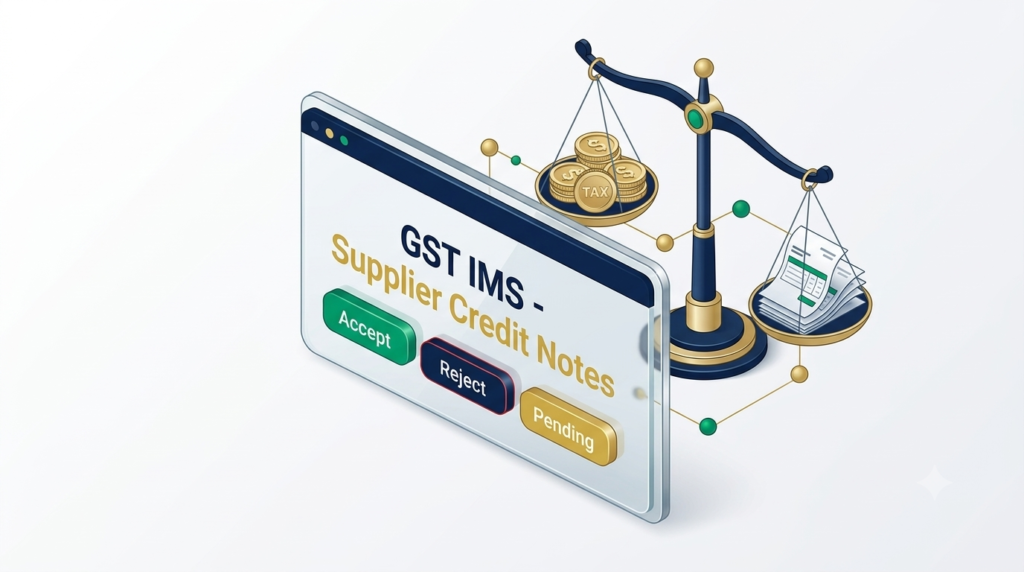
When a supplier uploads a Credit Note in their GSTR-1, IFF, or GSTR-1A, the record surfaces on the recipient’s IMS dashboard. The recipient has three explicit operational choices:
| IMS Action | Core Operational Meaning | Direct Impact on GSTR-2B | Direct Impact on Recipient Liability |
| Accept | Recipient confirms agreement with the credit note details. | The credit note is included in GSTR-2B. | Reduces eligible ITC or increases output tax liability in GSTR-3B. |
| Reject | Recipient disputes the validity, value, or applicability of the credit note. | Excluded from GSTR-2B adjustment. | Supplier’s liability reduction is blocked; supplier output liability increases. |
| Pending | Recipient defers decision (allowed for up to 1 tax period). | Excluded from current month GSTR-2B. | Postpones ITC reversal impact until decided or deemed accepted. |
Rule 1: The “Accept” Action on Credit Notes
Accepting a credit note means the buyer concurs that the underlying transaction value or tax amount was lowered.
Mechanism: Upon clicking Accept, the portal invokes the Flexible ITC Reversal workflow.
System Prompt: The portal explicitly asks: “Do you want to reduce/reverse ITC against this Credit Note?”
Default Deemed Rule: If no explicit action is taken on a credit note by the cutoff date, the document is treated as Deemed Accepted during GSTR-2B generation.
Rule 2: The “Reject” Action on Credit Notes
Rejecting a credit note is a high-impact compliance action. You should ONLY reject a credit note if:
The credit note does not belong to your GSTIN.
The credit note refers to an invoice you never received or already rejected.
The commercial terms were never agreed upon, or the supplier issued a duplicate credit note.
Critical Warning: If a recipient Rejects a supplier’s credit note, the supplier’s outward liability reduction is denied on the portal. The tax amount from the rejected credit note gets added back to the supplier’s liability in their subsequent filing period, creating commercial friction. Mandatory reason remarks must be provided when rejecting entries.
Rule 3: The “Pending” Action Facility (1-Period Window)
Recipients can mark credit notes as Pending.
Time Constraint: A document can only remain Pending for one tax period.
Automatic Deemed Acceptance: If a pending credit note is left unacted upon in the subsequent tax period, the system forces Deemed Acceptance, auto-populating the reduction in that cycle’s GSTR-2B.
Section 3: Flexible ITC Reversals – The New Paradigm
Pre-IMS rules forced a static reversal: if a credit note carried ₹18,000 tax, the recipient’s system or return forced an ₹18,000 ITC reversal—regardless of whether the recipient had actually claimed the full ₹18,000 on the original invoice.
The IMS framework introduces Flexible ITC Reversal, aligning tax compliance with real-world accounting.
Scenario Breakdown: Flexible ITC Options
Scenario A: Full Original ITC Claimed
Context: You received an invoice with ₹50,000 GST, claimed full ₹50,000 ITC in GSTR-3B. Vendor later issues a credit note worth ₹10,000 GST.
Action: Accept in IMS $\rightarrow$ Select YES for ITC reduction $\rightarrow$ Declare ₹10,000.
Result: ₹10,000 is netted off from eligible credit in GSTR-2B / GSTR-3B Table 4.
Scenario B: Partial Original ITC Claimed
Context: Original invoice had ₹50,000 GST, but due to internal rule adjustments or partial ineligible classification under Sec 17(5), you only claimed ₹30,000 ITC. Vendor issues a credit note for ₹20,000 GST.
Action: Accept in IMS $\rightarrow$ Select YES for ITC reduction $\rightarrow$ Declare ₹20,000 (or partial proportion based on claimed value).
Scenario C: Zero Original ITC Claimed
Context: Vendor issued an invoice with ₹15,000 GST. Because it was an ineligible item under Section 17(5) or goods were damaged on arrival, you never claimed ITC in GSTR-3B. Vendor now issues a credit note for ₹15,000 GST.
Action: Accept in IMS $\rightarrow$ Select NO for ITC reduction $\rightarrow$ Enter mandatory remark: “Original ITC was never claimed under Section 17(5)”.
Result: No artificial ITC reduction or liability increase hits your GSTR-3B.
Section 4: GSTR-3B Impact & Reporting Mechanism
Understanding how accepted or pending credit notes populate into GSTR-3B is vital to maintaining zero tax discrepancies.
Mapping to GSTR-3B Table 4
Net Auto-Population in Table 4(A)(5) – All Other ITC:
Under standard portal rules, eligible ITC auto-populated in Table 4(A)(5) reflects the net amount after reducing credit notes accepted in IMS.
$$\text{Table 4(A)(5) Final} = \text{Gross Eligible Invoices} – \text{Accepted Credit Notes (Adjusted)}$$Reporting via Table 4(B) Reversals:
In specific enterprise accounting frameworks where gross ITC is captured in 4(A)(5), credit note reversals are explicitly accounted under Table 4(B)(2) – Temporary Reversals or 4(B)(1) – Permanent Reversals to maintain a clear audit trail.
Cumulative Operational Matrix
Section 5: Step-by-Step Compliance Checklist for Tax Professionals
Perform Dual Reconciliation (11th–13th of Every Month):
Compare your internal Purchase Register against IMS live inward data prior to GSTR-2B generation on the 14th.
Review Supplier Credit Notes First:
Verify whether the original invoice’s ITC was claimed, partially claimed, or blocked under Section 17(5).
Execute Flexible Actioning:
Select Accept and specify exact reversal values. Fill out reason remarks for any No Reversal or Reject actions.
Recompute GSTR-2B (If Acting After the 14th):
If you take actions between the 14th and your GSTR-3B filing date, click Recompute GSTR-2B on the portal dashboard to update your figures.
File GSTR-3B:
Ensure Table 4 figures match your reconciled calculations. Once GSTR-3B is filed, all actions for that period are frozen and permanently recorded.
Related posts:
Step-by-Step Guide to Using the Excel-Based GST IMS Offline Tool for High-Volume Invoices
8 Essential Habits Every Startup Owner Should Adopt for Success
10 Common GST Filing Mistakes That Are Costing Indian Businesses Lakhs (And How to Avoid Them)
Homebuyer Cannot Inflate CIRP Claim by Adjusting Refund Towards Interest: Decoding the Landmark NCLT...
What is GST? A Complete Beginner's Guide
Essential Credit Card Dos and Don'ts: A Complete Guide for Smart Financial Management
Marketing Campaign Deliverables: MahaRERA Complete Guide for Mumbai Buyers
The Ultimate 2026 Guide to Blocked ITC: Why You Can’t Claim GST on Cars, Staff Lunches & Renovat...
Complete Guide to Taxation for Freelancers and Content Creators in India 2026
ITAT Bangalore Ruling: Capital Gains Deleted Under Section 2(47)(v) as Section 53A Conditions Not Sa...
Related posts:
 10 Common GST Filing Mistakes That Are Costing Indian Businesses Lakhs (And How to Avoid Them)
What is GST? A Complete Beginner’s Guide
The Ultimate 2026 Guide to Blocked ITC: Why You Can’t Claim GST on Cars, Staff Lunches & Renovations
10 Common GST Filing Mistakes That Are Costing Indian Businesses Lakhs (And How to Avoid Them)
What is GST? A Complete Beginner’s Guide
The Ultimate 2026 Guide to Blocked ITC: Why You Can’t Claim GST on Cars, Staff Lunches & Renovations
 The Deemed Acceptance Trap in GST IMS: How Unattended Invoices Trigger Penalties on the 14th