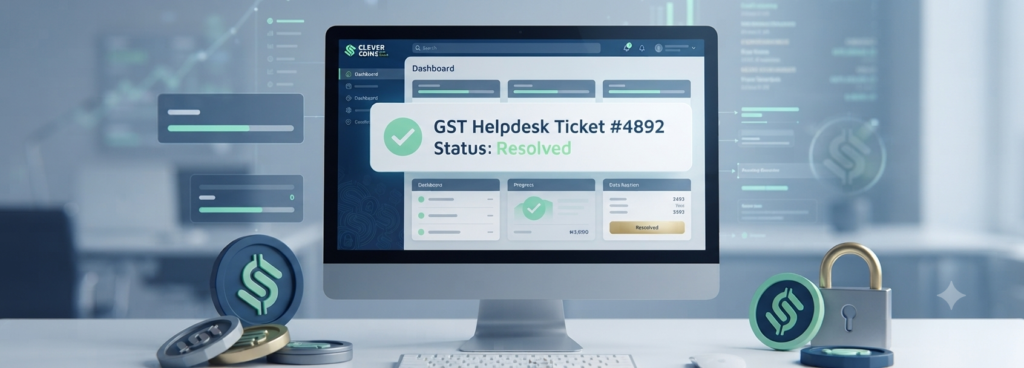
The Ultimate Guide to the GST Portal Helpdesk & Grievance Redressal System
Navigating the Goods and Services Tax (GST) framework requires precision, and even the most compliant businesses occasionally encounter technical glitches, portal errors, or assessment discrepancies. When operational blocks occur, understanding how to navigate the GST Portal Helpdesk & Grievance mechanism is essential for maintaining financial compliance and avoiding unwarranted penalties.
In this exhaustive guide brought to you by Clever Coins, we will dissect every element of the GST helpdesk infrastructure, grievance tracking, ticket escalation workflows, and proactive compliance management.
1. Understanding the Architecture of the GST Helpdesk
The Goods and Services Network (GSTN) processes billions of transactions and returns monthly. To support taxpayers, the government established a structured multi-tiered support framework.
The Role of the Self-Service Portal
Before raising a ticket, taxpayers often find resolutions directly through the portal’s built-in self-service tools:
The FAQ Repository: Categorized into registration, returns, refunds, payments, and legal audits.
Chatbot Assistance (Astra/Virtual Assistant): Designed to answer immediate syntax queries regarding form filing.
Manual Advisories & Manuals: Step-by-step PDF manuals updated dynamically alongside portal updates.
The Grievance Redressal Portal (GST Grievance Redressal Portal)
When standard documentation fails to solve a technical error—such as digital signature certificate (DSC) mismatches, electronic credit ledger freezes, or return submission failures—the formal grievance redressal system steps in.
2. Common Categories of GST Portal Grievances
Taxpayers file tickets across several distinct operational verticals. Knowing your category accelerates resolution times:
Registration & Core Amendment Issues: Problems relating to New Registration (FORM GST REG-01), clarification responses, or non-receipt of Application Reference Numbers (ARN).
Return Filing & Offline Tool Glitches: Errors thrown while uploading JSON files via the offline utility, mismatch in Auto-populated GSTR-2B, or inability to submit GSTR-3B due to OTP authentication failures.
Electronic Cash & Credit Ledger Discrepancies: Challenges where tax payments made via Challan (CPIN) do not reflect in the cash ledger, or Input Tax Credit (ITC) blocks due to portal system latency.
Refund Processing Delays: Stuck refund applications under FORM GST RFD-01, jurisdictional officer delays, or communication gaps regarding deficiency memos.
E-Way Bill System Integration: Technical roadblocks linking the GST portal with the E-Way Bill (EWB) or e-Invoicing portal (IRP).
3. Step-by-Step Procedure to Raise a Ticket on the GST Portal
Filing a grievance accurately prevents your ticket from being closed due to “Insufficient Information.” Follow this precise framework:
Step 1: Accessing the Grievance Redressal Portal
Navigate to the official GST portal (
www.gst.gov.in).Scroll to the bottom footer and click on Helpful Links > Grievance Redressal Portal (or log into your dashboard and click Services > User Services > Raise Ticket).
Step 2: Filling Out the Ticket Form
Category of Issue: Choose meticulously from the drop-down menu (e.g., Return Filing, Payment, Registration).
Sub-Category: Refine the exact nature of the problem.
Description: Provide a factual, concise timeline of events. Mention your GSTIN, ARN, or relevant transaction IDs.
Attachment: Upload error screenshots (in JPEG/PDF format, under 5MB). Visual proof cuts down troubleshooting iterations by 50%.
Step 3: Tracking via Ticket Reference Number (TRN)
Once submitted, a unique Ticket Reference Number (TRN) is generated and sent via SMS and email. Save this number to monitor status changes from Open, Under Process, to Resolved.
4. Advanced Escalation Pathways: What to Do If Tickets Are Unresolved?
Sometimes, standard helpdesk tickets experience delays. If your business faces critical compliance deadlines or frozen ledgers, use these advanced steps:
Escalation to the Helpdesk Supervisor: If a ticket remains open past the standard 3-to-5 working day SLA, call the GST Helpdesk toll-free numbers (
1800-103-4786or0120-4888999) referencing your existing TRN.Approaching the Jurisdictional Officer: Physical or digital submission of representations to your assigned State/Central Tax Officer (AO) with proof of technical glitches on the portal.
The ITG Grievance Redressal Committee (GRC): For systemic technological faults impacting a large taxpayer base, applications can be routed through regional GRC panels formed under CBIC guidelines.
5. Proactive Tax Management: Minimizing Portal Friction with Clever Coins
Relying solely on reactive grievance handling can expose businesses to compliance defaults, interest liabilities under Section 50, and notice issuances under Section 61. At Clever Coins, we transition businesses from reactive firefighting to proactive optimization.
Year-Round Compliance Audits: We monitor GSTR-2B vs. GSTR-3B reconciliation continuously, ensuring discrepancies are isolated before filing deadlines.
Automated Documentation: Maintaining pristine digital paper trails so that if a grievance must be raised, the evidentiary burden is met instantly.
Expert Litigation Support: Bridging the gap between automated portal tickets and physical tax administration oversight.
6. Frequently Asked Questions (FAQs)
Q1: What is the typical turnaround time (TAT) for a GST helpdesk ticket?
A: Standard tickets are typically addressed within 24 to 72 working hours. Complex technical bugs requiring backend database fixes may take up to 7 to 10 working days.
Q2: Can I modify a grievance ticket after submission?
A: No, once submitted, a ticket cannot be edited. However, you can add supplementary remarks or screenshots by replying to the tracking email thread or raising a secondary tracking note referencing the original TRN.
Q3: How do I handle digital signature (DSC) registration errors on the portal?
A: Ensure you have the latest version of the emSigner utility installed, run it as Administrator, clear your browser cache, and verify that your PAN matches both the DSC and the primary authorized signatory profile.
Conclusion
The GST Portal Helpdesk & Grievance system is a powerful lifeline when technological roadblocks interfere with tax compliance. By understanding how to file precise tickets, attaching verifiable logs, and utilizing advanced escalation channels, businesses can protect themselves from compliance defaults. Partner with Clever Coins today to streamline your tax workflows and turn complex regulatory frameworks into a strategic business advantage.
- Phone: +91 77389 59862
- Email: client@clevercoins.org
- Address: Ideal Market, Mumbra, Thane-400612
Related posts:
Income Tax Act 2025 vs Income Tax Act 1961
Detailed Blog Content: GST on Charitable Activities
GST for Start-ups – Compliance Calendar
TDS on Salary How to Calculate & Save Tax
Retirement Planning at 30: The Ultimate Starter Checklist
Letter of Undertaking (LUT) under GST: The Complete 2026 Guide for Indian Exporters
GST Artificial Intelligence Scrutiny Notices: How to Reply and Avoid Heavy Penalties in 2026
Nil GST Return Filing: A Business Owner’s Guide (2026)
GST ON ENTERTAINMENT & EVENTS
GST Compliance Guide: Decoding Agency Services, Del-Credere Agents, and Job Work Rules
Related posts:
 Comprehensive Guide: GST on Employee Benefits & CTC Components in India
 Comprehensive Marketing Team Deliverable: GSTR-2B – Auto-Drafted ITC Statement
 ISD – Input Service Distributor Mechanism: The Complete 2026 Compliance Guide
 GST on Goods Transport by Road (GTA): The Complete 2026 Compliance Guide