Navigating QRMP, IFF, and the Invoice Management System (IMS): How Inward Supplies Affect Your Form GSTR-3B and Input Tax Credit
Introduction: The Evolving GST Compliance Landscape
The Goods and Services Tax (GST) infrastructure in India is undergoing a dramatic shift toward real-time automated reconciliation and strict auditability. Historically, small and medium enterprises (SMEs) faced heavy administrative burdens while manually reconciling inward tax credits against outward filings made by their suppliers. To mitigate these operational friction points, the Central Board of Indirect Taxes and Customs (CBIC) introduced the Quarterly Return Monthly Payment (QRMP) Scheme alongside the Invoice Furnishing Facility (IFF).
However, the compliance ecosystem evolved even further with the deployment of the Invoice Management System (IMS) on the GST Portal. The introduction of IMS creates a direct, interactive bridge between the outward invoices uploaded by suppliers (via GSTR-1 or IFF) and the auto-drafted Input Tax Credit (ITC) statements generated for recipients in Form GSTR-2B, which ultimately dictates the net liability payable in Form GSTR-3B.
Understanding how inward supplies reported through IFF interact with the IMS and flow into quarterly Form GSTR-3B filings is no longer optional—it is a critical necessity for maintaining business liquidity, eliminating tax notices, and safeguarding eligible Input Tax Credit.
Part 1: Deep Dive into the QRMP Scheme and IFF Mechanics
1.1 What is the QRMP Scheme?
The QRMP scheme is an opt-in compliance framework designed for registered taxpayers whose Aggregate Annual Turnover (AATO) does not exceed ₹5 Crore in the preceding financial year.
Under standard GST compliance, businesses must file 24 returns annually (12 monthly GSTR-1 returns and 12 monthly GSTR-3B returns). The QRMP scheme dramatically slashes this burden down to 8 returns per year—4 quarterly Form GSTR-1 filings and 4 quarterly Form GSTR-3B filings.
Part 2: Understanding the Invoice Management System (IMS)
2.1 Why Was IMS Introduced?
Prior to IMS, recipient taxpayers frequently discovered discrepancies between their internal purchase registers and the auto-generated Form GSTR-2B. Common issues included:
-
Invoices wrongly uploaded against their GSTIN by unknown suppliers.
-
Duplicate invoice submissions.
-
Incorrect tax head allocations (e.g., IGST entered instead of CGST/SGST).
-
Unresolved credit notes issued by suppliers that reduced ITC unexpectedly.
Because Form GSTR-2B was a static, auto-generated statement with zero recipient interactivity, taxpayers had to make manual adjustments directly inside Form GSTR-3B. This manual intervention regularly triggered automated discrepancy notices (Form DRC-01B / Form DRC-01C) from tax authorities.
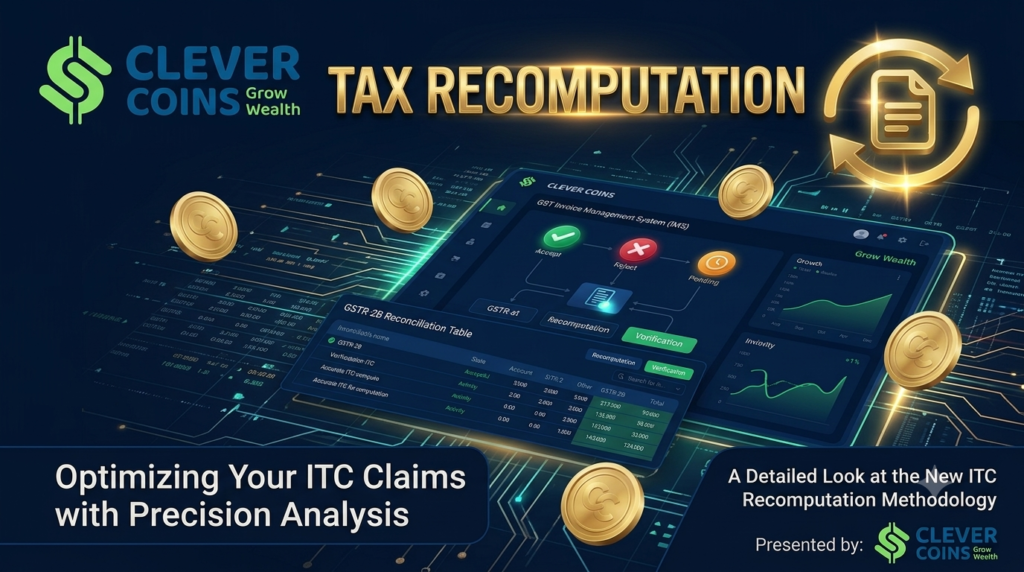
The Invoice Management System (IMS) acts as an interactive ledger on the GST portal where recipient taxpayers can Accept, Reject, or keep Pending every single inward supply document uploaded by their suppliers before Form GSTR-2B is finalized.
2.2 Core Actions Available in IMS
-
Accept: Confirms that the invoice details match the recipient’s purchase records. The tax amount automatically populates as eligible Input Tax Credit in Form GSTR-2B.
-
Reject: Flags the invoice as incorrect, fraudulent, or unrecognized. Rejection excludes the invoice from Form GSTR-2B, ensuring ineligible credit is not claimed.
-
Pending: Places the invoice on hold (e.g., if goods are still in transit or invoices require internal verification). The invoice is deferred to subsequent tax periods without affecting current credit.
-
Deemed Acceptance: If a recipient takes no explicit action on an uploaded invoice by the cutoff date, the GST system automatically treats the invoice as Deemed Accepted, carrying it straight into Form GSTR-2B.
Part 3: The Interplay Between IFF, IMS, and Form GSTR-3B for QRMP Taxpayers
3.1 GSTR-2B Generation Rules for QRMP Taxpayers
A crucial operational distinction exists regarding how Form GSTR-2B is compiled for QRMP taxpayers compared to monthly taxpayers:
-
Monthly Taxpayers: Form GSTR-2B is generated on a monthly basis on the 14th of every month.
-
QRMP Taxpayers: Form GSTR-2B is generated quarterly on the 14th day of the month following the end of the quarter.
However, the IMS dashboard functions continuously. Even though a QRMP taxpayer receives their final consolidated Form GSTR-2B once a quarter, they can log into IMS continuously during Month 1, Month 2, and Month 3 to view, review, and take action on inward invoices as suppliers upload them via IFF or monthly GSTR-1.
3.2 Scenario Analysis: How Inward Supplies via IFF Flow to Form GSTR-3B
To master compliance, businesses must understand the mechanical journey of inward supplies under four distinct operational scenarios
Scenario A: Supplier uploads B2B Invoices via IFF on time, and Recipient ACCEPTS
-
Action: The QRMP supplier uploads B2B invoices in Month 1 IFF by the 13th. The recipient logs into IMS and selects Accept.
-
Impact on Form GSTR-2B: The tax amounts are categorized as eligible ITC in the quarterly Form GSTR-2B.
-
Impact on Form GSTR-3B: In the quarterly Form GSTR-3B, the credit automatically populates into Table 4(A)(5) – All Other ITC. The recipient smoothly claims full tax credit without manual overriding or tax notices.
Scenario B: Supplier uploads via IFF, but Recipient marks as PENDING
-
Action: A supplier uploads an invoice in Month 1 IFF. The recipient receives the invoice data on IMS, but because the physical goods have not yet arrived at the warehouse, the recipient flags the invoice as Pending.
-
Impact on Form GSTR-2B: The invoice is completely excluded from the current quarter’s Form GSTR-2B.
-
Impact on Form GSTR-3B: No ITC is auto-populated in Table 4(A). The credit remains safely parked on the IMS portal and carries forward to the next tax period. Once the goods arrive in a subsequent quarter, the recipient changes the status from Pending to Accept, releasing the ITC into that quarter’s Form GSTR-2B.
Scenario C: Supplier misses IFF deadline and reports in Quarterly Form GSTR-1
-
Action: The QRMP supplier fails to upload Month 1 invoices by the 13th IFF deadline. Consequently, the supplier includes these invoices in their consolidated Quarterly Form GSTR-1 at the end of the quarter.
-
Impact on Form GSTR-2B: The recipient receives zero ITC visibility for that invoice during Months 1 and 2. The credit only populates when the quarterly Form GSTR-2B is generated on the 14th of the quarter-closing month.
-
Impact on Working Capital & GSTR-3B: The recipient’s monthly cash flow is impacted because they cannot utilize this ITC toward their monthly PMT-06 cash tax payments. However, by the time quarterly Form GSTR-3B is filed, the accumulated ITC becomes fully available in Table 4(A).
Scenario D: Rejection of Credit Notes in IMS
-
Action: A supplier issues a Credit Note in IFF to reduce their tax liability, but the recipient disputes the reduction and marks the Credit Note as Rejected on IMS.
-
Impact on GSTR-2B & GSTR-3B: The rejection prevents the mandatory reduction of the recipient’s ITC. Instead, the rejected credit note amount is automatically added back as an additional tax liability in the supplier’s subsequent Form GSTR-3B (under Section 3.1).
Part 4: Step-by-Step Workflow for Reconciling Inward Supplies
To avoid tax interest under Section 50 or loss of input credit, businesses must establish a standardized monthly and quarterly reconciliation protocol.
Step 1: Real-Time Purchase Register Logging
Maintain an accurate ERP/accounting purchase register. Ensure all purchase orders, bills of supply, and inward tax invoices are logged with correct GSTIN numbers, document numbers, invoice dates, and tax breakdowns (CGST, SGST, IGST).
Step 2: Continuous IMS Monitoring
Do not wait until the 14th day at the end of the quarter to open the GST portal. Log into the IMS dashboard periodically throughout the quarter. Review all inward invoices uploaded by suppliers via IFF.
Step 3: Executing Precise IMS Actions
-
Match each portal entry with your internal purchase register.
-
Accept matched records.
Tally Solutions -
Reject unrecognized or duplicate records.
-
Mark invoices with missing physical goods or disputed amounts as Pending.
Tally Solutions
Step 4: Re-computing Form GSTR-2B
If any IMS actions are taken or modified after the 14th day of the return-filing month, the taxpayer must trigger the “Re-compute Form GSTR-2B” option on the GST portal before attempting to file Form GSTR-3B. Filing GSTR-3B without re-computing after late IMS actions will lead to validation errors and tax mismatches.
Step 5: Final Review of Form GSTR-3B Table 4
Verify that the auto-populated figures in Table 4 (Input Tax Credit) perfectly align with the finalized Form GSTR-2B:
-
Table 4(A)(5): Eligible ITC from accepted inward IFF / GSTR-1 invoices.
-
Table 4(B)(2): Ineligible or reversed credits.
-
Table 4(D)(2): Ineligible ITC under Section 16(4) or restricted credits.
Part 5: Key Pitfalls and Best Practices for Taxpayers
| Risk / Pitfall | Root Cause | Impact on Business | Strategic Best Practice |
|---|---|---|---|
| Accidental Deemed Acceptance | Ignoring the IMS dashboard before return filing deadlines. | Fraudulent or incorrect invoices flow into GSTR-2B, exposing business to DRC-01C notices and interest penalties. | Establish weekly internal auditing of the IMS dashboard to catch erroneous uploads early. |
| Claiming ITC on Undelivered Goods | Accepting IFF invoices before actual physical receipt of goods. | Direct violation of Section 16(2)(b) of the CGST Act. | Always mark invoices as Pending in IMS until proof of delivery/GRN is verified. |
| Working Capital Crunch for Buyers | QRMP Suppliers failing to upload B2B invoices in IFF by the 13th. | Buyers cannot claim ITC monthly, damaging vendor relations and leading to lost orders. | Mandatory vendor agreements requiring QRMP suppliers to upload IFF on or before the 13th. |
| GSTR-3B Filing Blockage | Taking post-14th actions in IMS without clicking “Re-compute GSTR-2B”. | Portal prevents Form GSTR-3B submission, leading to late filing fees. | Always re-compute Form GSTR-2B immediately after taking late actions on IMS. |
Conclusion & Strategic Roadmap
The integration of the Invoice Furnishing Facility (IFF) and the Invoice Management System (IMS) has permanently transformed the GST return filing architecture for QRMP taxpayers and their recipients. While the QRMP scheme significantly lowers compliance overhead, achieving smooth tax operations requires proactive oversight.
By adopting a structured reconciliation routine, actively utilizing the IMS dashboard to accept or defer credits, and ensuring timely IFF uploads, businesses can eliminate tax mismatches, optimize working capital, and build a frictionless tax compliance model.
Frequently Asked Questions (FAQs)
Q1: Is it mandatory for a QRMP taxpayer to use the IFF every month?
No. The IFF is completely optional. If a QRMP taxpayer chooses not to upload invoices in Month 1 or Month 2, those invoices can be declared directly in the consolidated quarterly Form GSTR-1. However, uploading via IFF is highly recommended to allow B2B buyers to claim monthly ITC.
Q2: What happens if an invoice is marked as ‘Pending’ in IMS?
An invoice marked as ‘Pending’ is excluded from the current tax period’s Form GSTR-2B. It remains parked on the IMS dashboard and carries forward to future months. The recipient can accept it in a subsequent tax period once conditions (such as physical receipt of goods) are satisfied.
Q3: Can I change my action on an invoice in IMS after selecting ‘Accept’ or ‘Reject’?
Yes. Taxpayers can modify their action on any invoice on the IMS dashboard multiple times until the quarterly Form GSTR-3B for that period is filed. If actions are changed after the 14th of the month, remember to re-compute Form GSTR-2B.
Q4: How does IMS handle Reverse Charge Mechanism (RCM) invoices?
Currently, RCM invoices are not displayed on the IMS dashboard. Recipients cannot take Accept, Reject, or Pending actions on RCM supplies within IMS. RCM liabilities and credits must be declared manually according to standard tax rules in Form GSTR-3B.
Q5: Can QRMP taxpayers view IMS actions monthly, or only quarterly?
QRMP taxpayers can log into the IMS dashboard and view or act upon inward invoices monthly as suppliers upload them. However, their formal consolidated Form GSTR-2B statement is compiled quarterly.