Import Export Code (IEC) – Apply Online
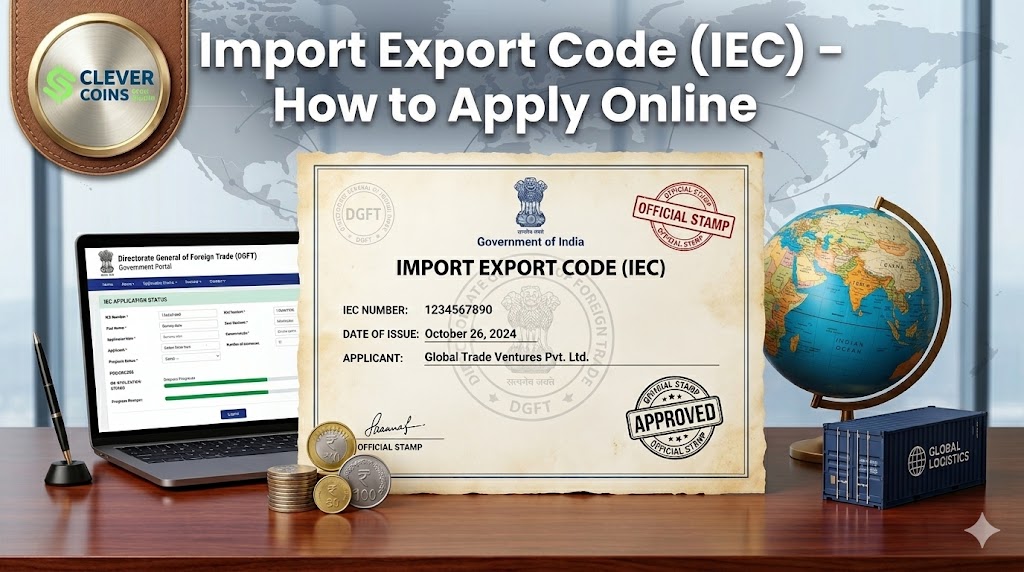
India stands as one of the world’s fastest-growing trading nations. Whether you want to export handcrafted textiles, import cutting-edge machinery, or build a global e-commerce brand, there is one non-negotiable requirement you must fulfil before making your first international shipment: obtaining an Import Export Code, widely known as the IEC code.
The IEC code is a 10-digit unique identification number issued by the Directorate General of Foreign Trade (DGFT), under the Ministry of Commerce and Industry, Government of India. It is the gateway to international trade — without it, no importer or exporter in India can legally move goods or services across borders.
In this comprehensive guide, we will walk you through everything you need to know about the IEC code: what it is, why it is mandatory, who needs it, the complete online application process, required documents, fees, timelines, modifications, and much more.
What Is an IEC Code?
The Import Export Code (IEC) is a 10-digit business identification number that is mandatory for all businesses and individuals engaged in international trade — importing goods into India or exporting goods and services from India.
Key facts about the IEC code:
- Issued by the Directorate General of Foreign Trade (DGFT), Ministry of Commerce and Industry, Government of India
- Previously aligned with PAN — since 2021, IEC is auto-linked to PAN by DGFT
- It is a lifetime registration — there is no renewal required as of current rules
- A single IEC code covers all branches, units, divisions, and factories of the same entity
- It is mandatory for banks to release international payment for exports / process payments for imports
- No IEC = no customs clearance = no international trade
💡 Quick Definition IEC Code = Your business’s permanent passport for international trade with India’s customs and banking system. |
Why Is the IEC Code Important?
The IEC code is far more than a regulatory formality. Here is why it is critical to your international trade journey:
- Customs authorities require IEC for clearing any import or export shipment at Indian ports and airports. Customs Clearance:
- Banks require IEC before processing foreign currency payments related to international trade. Banking & Forex Transactions:
- IEC is required to claim GST refunds on exports and zero-rated supplies. GST Benefits:
- Government schemes like MEIS, SEIS, RoDTEP, and Advance Authorization require a valid IEC. Export Incentive Schemes:
- Selling internationally on platforms like Amazon Global, eBay, or Shopify requires IEC for cross-border payments. E-Commerce Exports:
- Having an IEC signals seriousness and compliance to international buyers and suppliers. Brand Credibility:
- Under the Foreign Exchange Management Act (FEMA), IEC is mandatory for foreign currency transactions related to trade. FEMA Compliance:
Who Needs an IEC Code?
The following categories of persons and entities require an IEC code:
Mandatory for IEC Registration
- Any individual or business that imports goods into India
- Any individual or business that exports goods from India
- Service exporters availing benefits under Foreign Trade Policy
- E-commerce exporters sending goods abroad
- Importers receiving goods against advance payments
- Any business receiving foreign remittances for goods/services
Exemptions: Who Does NOT Need an IEC?
Certain categories are exempt from IEC requirements under DGFT guidelines:
- Import or export for personal use (not connected with trade or manufacture)
- Ministries and Departments of the Central or State Government
- Persons importing or exporting goods for charitable or humanitarian purposes
- Import of baggage by passengers (as per customs rules)
Note: Even if exempt from IEC, it is always advisable to obtain one if any commercial activity may occur internationally in the future.
Who Is Eligible to Apply for an IEC Code?
Any of the following business entities can apply for an IEC code:
Business Entity Type | Applicable | Notes |
Sole Proprietorship | Yes | IEC linked to proprietor’s PAN |
Partnership Firm | Yes | All partners’ details required |
Limited Liability Partnership (LLP) | Yes | LLP registration certificate needed |
Private Limited Company | Yes | Certificate of Incorporation required |
Public Limited Company | Yes | Board resolution may be needed |
Hindu Undivided Family (HUF) | Yes | Karta’s PAN used |
Trust / Society | Yes | Registration deed required |
Government Entity | Conditional | Only for commercial activities |
Documents Required for IEC Application
The IEC online application is largely paperless, but the following details and documents must be ready in digital form (scanned copies or JPG/PDF format):
For All Applicants
- PAN card of the business entity (or proprietor for sole proprietorship)
- Aadhaar card of the applicant (for OTP-based verification)
- Photograph of the applicant / authorized signatory
- Cancelled cheque or bank certificate of the business bank account
- Mobile number linked to Aadhaar (for OTP verification)
- Active email ID
Based on Business Type
- Sole Proprietor: PAN card + Aadhaar + bank proof in the proprietor’s name
- Partnership Firm: Partnership deed + PAN of firm + bank proof of firm
- Private/Public Limited Company: Certificate of Incorporation + MoA/AoA + PAN of company + bank proof
- LLP: LLP Agreement + Certificate of Incorporation + PAN of LLP + bank proof
- Trust/Society: Registration certificate + PAN + bank proof
Address Proof (any one)
- Sale deed / Lease agreement / Rent agreement of the business premises
- Latest utility bill (electricity / telephone) in the name of the business or proprietor
- In case of no physical address: Aadhaar address is accepted
Step-by-Step: How to Apply for IEC Code Online
The DGFT has streamlined the IEC application process through its online portal. Follow these steps carefully:
- Step 1: Visit the Official DGFT Portal
Go to https://www.dgft.gov.in — the official website of the Directorate General of Foreign Trade. Ensure you are on the official government (.gov.in) domain to avoid fraudulent portals.
- Step 2: Register / Log In to Your DGFT Account
If you are a new user, click on ‘Register’ and create your account using your PAN, mobile number, and email address. Verify via OTP. If you already have a DGFT login, simply sign in.
- Step 3: Navigate to IEC Services
After logging in, go to: Services > IEC > Apply for IEC from the top navigation menu.
- Step 4: Fill Out the IEC Application Form (ANF 2A)
The application form (ANF 2A) will be auto-populated with PAN details. Fill in the remaining fields:
- Business entity type and name
- Nature of business (manufacturer, merchant exporter, service provider, etc.)
- Registered office address and correspondence address
- Branch / factory / division details (if applicable)
- Bank account details (account number, IFSC, bank name, branch)
- Authorized signatory details
- Step 5: Upload Required Documents
Upload scanned copies of all required documents in the specified formats (JPG/PDF, file size limits typically under 5 MB each). Ensure documents are clear and legible.
- Step 6: Make the Application Fee Payment
Pay the IEC application fee of Rs. 500 online through the DGFT payment gateway. Accepted payment methods include net banking, debit card, credit card, and UPI.
- Step 7: Submit the Application
Review the entire application carefully before final submission. Once submitted, you will receive an Application Reference Number (ARN) on your registered email and mobile number.
- Step 8: Aadhaar OTP Verification (Digital Signature)
For e-signing the application digitally, use Aadhaar OTP-based verification or a Digital Signature Certificate (DSC). Most individual and small business applicants use the Aadhaar OTP method.
- Step 9: IEC Certificate Issued
Upon successful verification and approval, your IEC certificate is generated digitally and sent to your registered email. You can also download it directly from the DGFT portal. In most straightforward cases, IEC is issued within 1 to 2 working hours to 1 to 2 working days.
⏱ IEC Processing Time & Fee Summary Application Fee: Rs. 500 (Government Fee — no other charges apply) Processing Time: 1 hour to 2 working days (auto-approved in most cases) Validity: Lifetime — no annual renewal required Mode: 100% Online via DGFT Portal (dgft.gov.in) |
Understanding Your IEC Certificate
Once issued, your IEC certificate contains the following information:
- 10-digit IEC Number (same as your entity’s PAN number)
- Name and address of the IEC holder
- Nature of the business / exporter type
- Bank details associated with IEC
- Branch and division details (if added)
- Date of issue
- Digital signature of the issuing DGFT authority
Always keep both a digital and a printed copy of your IEC certificate. It is required for customs filing, bank transactions, and government incentive applications.
How to Modify / Update Your IEC Code
Life changes — and so does your business. If any details in your IEC registration change, you must update it promptly through the DGFT portal. Common modification scenarios include:
- Change of business address
- Change of bank account details
- Adding or removing branch / factory / division
- Change in authorized signatory
- Change of business name
- Upgrade or change in business entity type
Steps to Modify IEC Online
- Log in to your DGFT account at dgft.gov.in
- Go to Services > IEC > Modify IEC
- Make the required changes in the relevant fields
- Upload supporting documents if address, bank, or entity type is changed
- Pay the modification fee (Rs. 200 for most modifications)
- Digitally sign using Aadhaar OTP or DSC and submit
- Receive the updated IEC certificate on your registered email
How to Surrender / Cancel Your IEC Code
If you permanently cease all import-export activities, you can voluntarily surrender your IEC code through the DGFT portal. Here is how:
- Log in to DGFT portal
- Navigate to Services > IEC > Surrender IEC
- Submit a declaration confirming cessation of import-export activity
- DGFT will deactivate the IEC upon verification
Important: Once surrendered, the IEC cannot be reactivated. You will need to apply afresh for a new IEC if you wish to resume international trade.
How to Check Your IEC Application Status
After submitting your application, you can track its status online:
- Log in to your DGFT account
- Go to Services > IEC > Track IEC Application
- Enter your Application Reference Number (ARN)
- View current status — ‘Under Processing’, ‘Approved’, or ‘Deficiency Raised’
If a deficiency is raised, you will receive an email with details of what additional information or documents are needed. Resolve the deficiency and resubmit through the portal.
IEC Annual Update: A Critical Requirement
While IEC does not require annual renewal, DGFT has introduced a mandatory Annual Update process. Every IEC holder must update their IEC details on the DGFT portal between April 1 and June 30 each year, even if there are no changes.
Failure to complete the Annual Update will result in:
- IEC being deactivated by DGFT
- Inability to clear customs shipments
- Disruption in bank-related foreign exchange transactions
- Delays in export incentive processing
The Annual Update is free of cost and can be completed in under 10 minutes on the DGFT portal by simply confirming your existing details or making any required changes.
IEC Code and Export Incentive Schemes
Your IEC code is your key to accessing multiple Government of India export benefit schemes. A valid, active IEC is a mandatory prerequisite for all of the following:
Scheme Name | Benefit | Administering Body |
RoDTEP Scheme | Rebate on duties / taxes paid on exported goods | DGFT / CBIC |
Advance Authorization | Duty-free import of inputs for export production | DGFT |
Export Promotion Capital Goods (EPCG) | Import capital goods at zero or concessional duty | DGFT |
Merchandise Exports from India Scheme (MEIS) | Incentive scrips as % of FOB value of exports | DGFT (now subsumed in RoDTEP) |
Service Exports from India Scheme (SEIS) | Incentive scrips for service exporters | DGFT |
Duty Drawback Scheme | Refund of customs & central excise duties | CBIC |
IEC Code for E-Commerce Exporters
With the explosive growth of cross-border e-commerce, the IEC code has become essential for India’s millions of online sellers. Here is how it applies:
- Selling on Amazon Global Selling, eBay, Etsy, or similar international platforms requires IEC for customs documentation
- International payments received via PayPal, Payoneer, Stripe, or wire transfer may be held by your bank without IEC
- Shipping aggregators like Shiprocket, ShipBob, DHL, FedEx, and others require IEC for international shipments
- GST LUT (Letter of Undertaking) for zero-rated exports requires a valid IEC
- FEMA compliance for foreign income requires IEC
E-commerce entrepreneurs can apply for IEC even before their first international sale — it is always better to be prepared.
IEC Code vs. GSTIN vs. PAN: What Is the Difference?
Feature | IEC Code | GSTIN | PAN |
Full Form | Import Export Code | GST Identification Number | Permanent Account Number |
Issuing Authority | DGFT | GST Department (CBIC) | Income Tax Department |
Length | 10 digits | 15 characters | 10 characters |
Purpose | International trade authorization | GST compliance & tax | Tax identification |
Mandatory For | Import / Export | Businesses above GST threshold | All taxpayers |
Renewal | Annual Update only | Annual Return filing | Lifetime — no renewal |
Common Mistakes to Avoid When Applying for IEC
- Using a personal savings bank account instead of a current / business account
- Uploading blurry or illegible scanned documents
- Mismatch between PAN name and bank account name
- Aadhaar mobile number not updated — OTP cannot be received
- Entering incorrect IFSC code or bank account number
- Not completing the mandatory Annual Update on time
- Applying through third-party fraudulent portals instead of official DGFT website
- Not updating IEC after change of address, bank account, or signatory
- Sharing your DGFT login credentials with unauthorized persons
Frequently Asked Questions (FAQs)
Q1: Is IEC code the same as PAN?
Since 2021, the IEC number is the same as your entity’s PAN number. However, the IEC is a separate registration on the DGFT portal and must be obtained even if you have a PAN.
Q2: Is IEC code required for service exports?
Service exporters availing benefits under the Foreign Trade Policy — such as SEIS incentives — require an IEC. However, purely technology-based service exports via the internet without physical goods movement may not require IEC in all cases. It is advisable to consult DGFT guidelines or a trade consultant.
Q3: Can one company have multiple IEC codes?
No. Only one IEC code can be issued against one PAN. All business units, branches, and factories of the same entity operate under a single IEC.
Q4: How long is the IEC valid?
The IEC is a lifetime registration. There is no renewal, but mandatory Annual Update is required each year between April 1 and June 30 to keep it active.
Q5: Can I apply for IEC without a registered company?
Yes. Even a sole proprietor (individual) can apply for IEC using their personal PAN. No company registration is required.
Q6: Is IEC required for importing goods for personal use?
No. Import of goods strictly for personal use (not for commercial trade or manufacture) is exempt from IEC requirements.
Q7: What happens if my IEC is deactivated?
A deactivated IEC will prevent customs clearance of shipments and block foreign currency transactions at your bank. Reactivation can be done by completing the Annual Update on the DGFT portal.
Q8: Is the IEC application process free?
The Government of India charges a fee of Rs. 500 for fresh IEC issuance. The Annual Update is free. Modification of IEC details costs Rs. 200.
Q9: How can I verify an IEC code?
IEC codes can be verified on the DGFT portal at: dgft.gov.in > Services > IEC > Search IEC. Enter the IEC number or company name to verify authenticity.
Q10: Can a startup or new business apply for IEC?
Absolutely. A newly registered startup or business can apply for IEC on the very day of incorporation, provided they have a PAN and a business bank account.
Conclusion
The Import Export Code (IEC) is the single most important document for any business aspiring to go global. It is your identity in the world of international trade — recognized by customs authorities, banks, and trade partners alike. With the completely online, paperless application process on the DGFT portal, obtaining your IEC has never been easier.
The good news: the entire process takes less than a day in most cases, costs just Rs. 500, and gives you a lifetime authorization to trade internationally. There is no reason to delay.
If you are an entrepreneur, manufacturer, exporter, importer, or e-commerce seller looking to expand your business beyond India’s borders, apply for your IEC code today. Take the first step toward building your global trade journey.
Key Takeaways ✔ IEC code is mandatory for all importers and exporters in India ✔ Apply 100% online at dgft.gov.in for just Rs. 500 ✔ IEC is lifetime valid — but Annual Update (Apr–Jun) is mandatory ✔ IEC number is same as your entity’s PAN since 2021 ✔ E-commerce exporters, manufacturers, and service providers all need IEC ✔ IEC unlocks access to government export incentive schemes worth crores |